
Hyundai Tucson: AVN System / Speakers
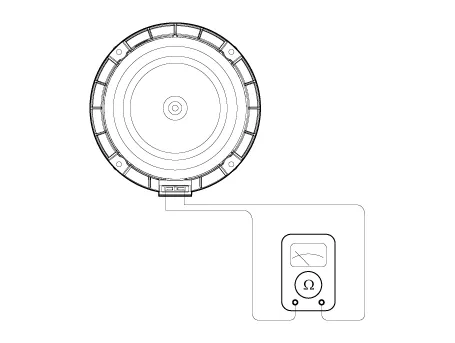
1.Check the plus (+) and negative (-) speaker terminals using an ohmmeter.
2.Check the supply power to the speaker and the resistance, then inspect the sound quality.
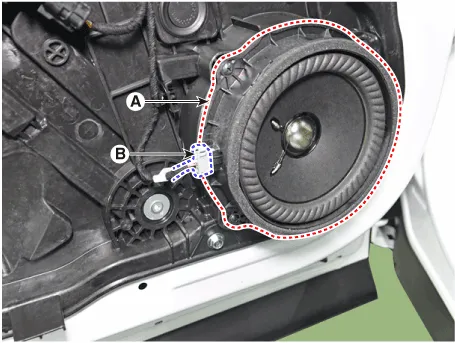
1.Remove the front door trim.(Refer to Body - "Front Door Trim")
2.Disconnecting the connector (B) and then remove the front speaker (A) after loosening screws.
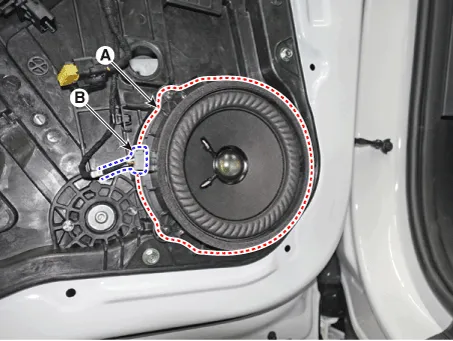
1.Remove the rear door trim.(Refer to Body - "Rear Door Trim")
2.Disconnecting the connector (B) and then remove the rear speaker (A) after loosening screws.
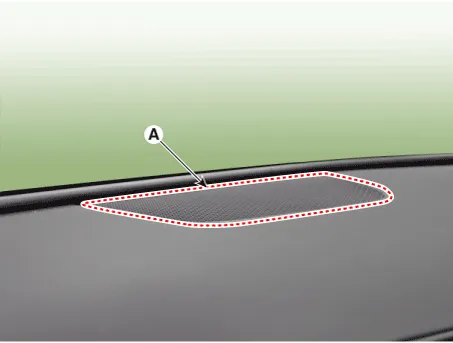
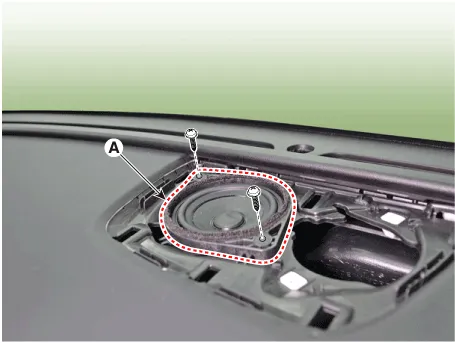
1.Using a screwdriver or remover, remove the front center speaker cover (A).
2.Remove the front center speaker (A) after loosening mounting screws.
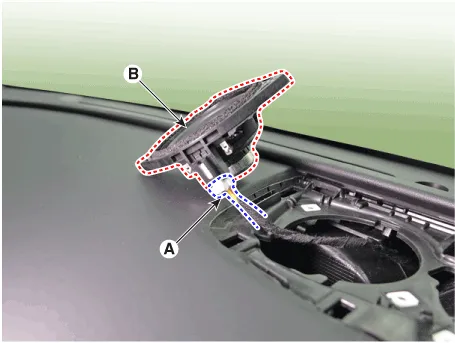
3.Remove the front center speaker (B) after disconnecting speaker connector (A).
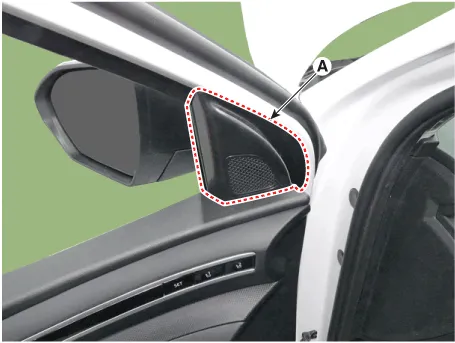
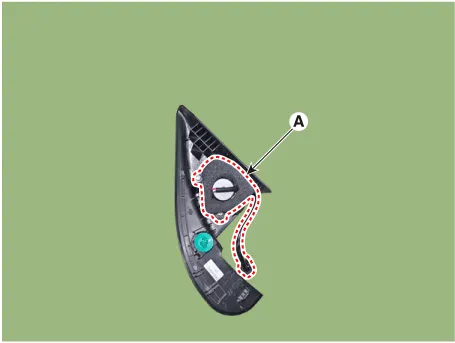
1.Using a screwdriver or remover, remove the front door quadrant inner cover (A).
2.Remove the tweeter speaker connector (A).
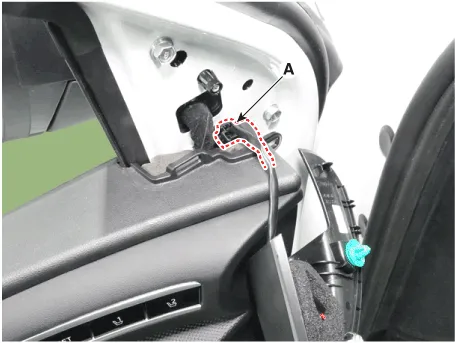
3.Remove the tweeter speaker (A) after loosening mounting screws.
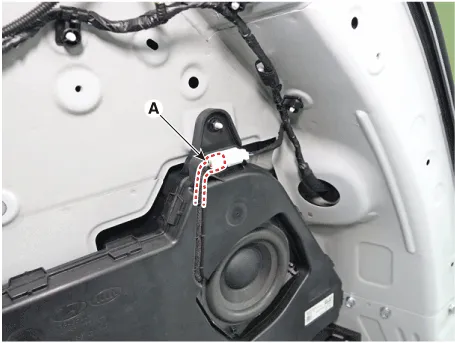
1.Remove the luggage side trim RH.(Refer to Body - "Luggage Side Trim")
2.Disconnect the sub woofer speaker connector (A).
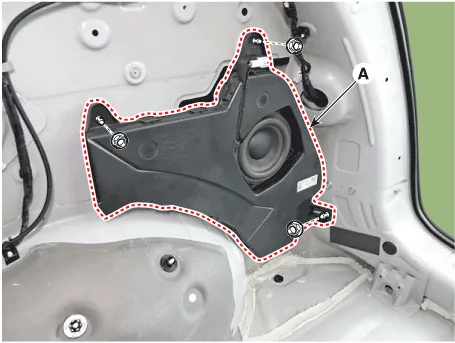
3.Remove the sub woofer speaker (A) after loosening mounting nuts.
1.Install the front speaker.
2.Install the front door trim.
1.Install the rear speaker.
2.Install the rear door trim.
1.Install the front center speaker after connecting the speaker connenctor.
2.Install the center speaker cover.
1.Install the tweeter speaker.
2.Install the front door quadrant inner cover.
1.Install the sub woofer speaker and then connect the speaker connector.
2.Install the luggage side trim RH.

• Make sure the connector are connected in properly.
• Check the AVN system for normal operation.
 External Amplifier
- Components
Connector Pin Information
NoConnector AConnector B
1Battery (+)Front right door tweeter speaker (+)
2Battery (+)Front left door tweeter speaker (+)
3Battery (+)Sub woofer speake ...
 Antenna
- Removal
1.Disconnect the negative (-) battery terminal.
2.Remove the roof trim.(Refer to Body - "Roof Trim Assembly")
3.Disconnect the antenna connector (A) and then remove the roof antenna a ...
Other information:
Hyundai Tucson (NX4) 2022-2026 Owner's Manual: Emergency Liftgate Safety
Release
To unlock and open the liftgate manually
from inside the cargo area, perform the
following:
1. Insert a long, flat object, such as a key
into the opening at the bottom of the
liftgate.
2. Slide the latch in the direction of the
arrow to unlock the liftgate.
3. Push the liftgate open.
...
Hyundai Tucson (NX4) 2022-2026 Owner's Manual: View Modes
The information provided may differ depending on which functions are
available on
your vehicle.
Trip computer mode
The trip computer mode displays
information related to the vehicle driving
parameters including fuel economy,
tripmeter information, and vehicle
speed.
For more informa ...
