
Hyundai Tucson: IMS (Integrated Memory) / IMS (Integrated Memory System) module
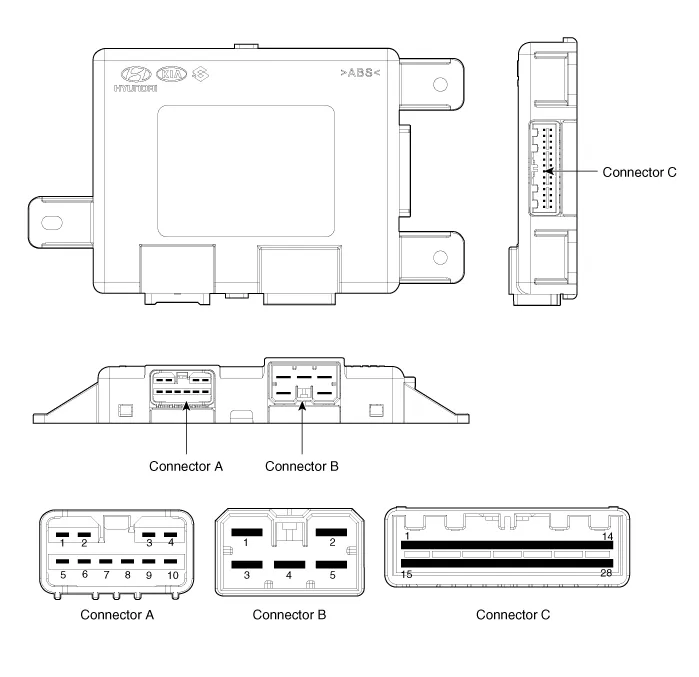
| Pin | Connector A | Connector B | Connector C |
| 1 | - | B+ (Power) | Seat slide motor switch (Forward) |
| 2 | Seat recline motor (Forward) | Ground (Power) | Seat recline switch (Forward) |
| 3 | Seat height motor (Up) | B+ (Power) | Seat tilt switch (Up) |
| 4 | Seat slide motor(Forward) | - | Seat height switch (Up) |
| 5 | - | Ground (Power) | - |
| 6 | Seat recline motor (Backward) | B_CAN (High) | |
| 7 | Seat tilt motor (Up) | B_CAN (Low) | |
| 8 | Seat tilt motor (Down) | - | |
| 9 | Seat height motor (Down) | Lumber support motor Def input | |
| 10 | Seat slide motor (Backward) | Seat slide sensor | |
| 11 | Seat tilt sensor | ||
| 12 | - | ||
| 13 | Seat position sensor power | ||
| 14 | IGN 1 | ||
| 15 | Seat slide switch (Backward) | ||
| 16 | Seat recline switch (Backward) | ||
| 17 | Seat tilt switch (Down) | ||
| 18 | Seat height switch (Down) | ||
| 19 | - | ||
| 20 | Ground | ||
| 21 | - | ||
| 22 | IMS switch position information input | ||
| 23 | Lumber support motor Def input | ||
| 24 | Seat recline sensor | ||
| 25 | Seat height sensor | ||
| 26 | - | ||
| 27 | - | ||
| 28 | Battery (+) |
1.Disconnect the negative (-) battery terminal.
2.Remove the front seat assembly.(Refer to Body - "Front Seat Assembly")
3.Disconnect power seat unit connector (A).
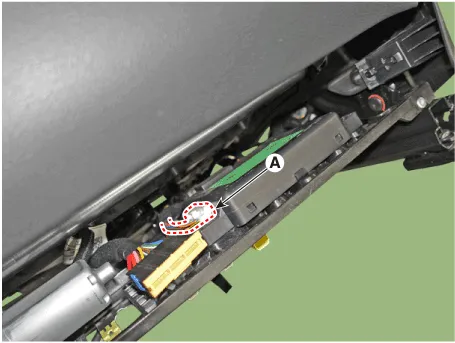
4.Remove the power seat unit (A) after loosening mounting screws.
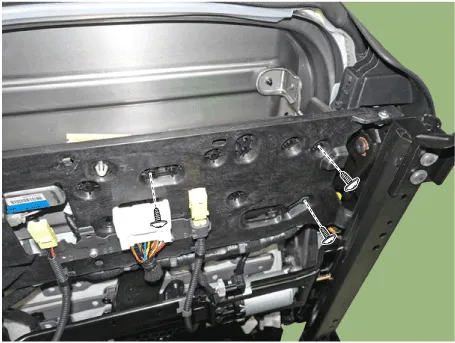
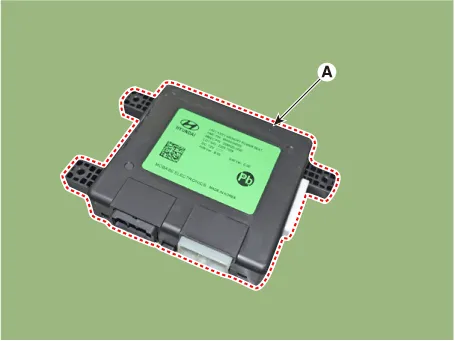
1.Install the IMS unit after reconnecting the connector.
2.Install the driver seat.
3.Connect the negative (-) battery terminal.
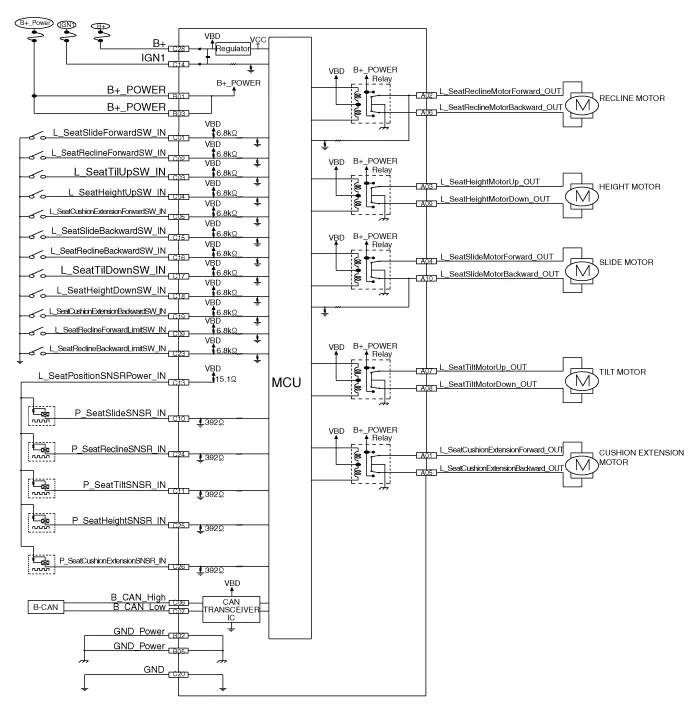
 Schematic Diagrams
- Circuit Diagram
...
 IMS Control Switch
- Components
- Removal
1.Disconnect the negative (-) battery terminal.
2.Remove the front door trim.(Refer to Body - "Front Door Trim")
3. Remove the IMS switch (A) after loosening moun ...
Other information:
Hyundai Tucson (NX4) 2022-2026 Owner's Manual: Fan speed control
Press the button to increase fan
speed and airflow. Press the button
to
decrease fan speed and airflow.
Pressing the OFF button turns off the fan.
Information
Operating the fan speed when the
ignition switch is in the ON position may
cause the battery to discharge.
Air conditioning ...
Hyundai Tucson (NX4) 2022-2026 Owner's Manual: Forward Collision-Avoidance
Assist Settings
Forward Safety
With the ignition switch ON, go to User
Settings > Driver Assistance > Forward
Safety (for cluster type) or Setup >
Vehicle > Driver Assistance > Forward
Safety (for infotainment system type)
from the Settings menu to select the
following:
If Active A ...
