
Hyundai Tucson: Surround View Monitor (SVM) / Surround View Monitor (SVM) Camera
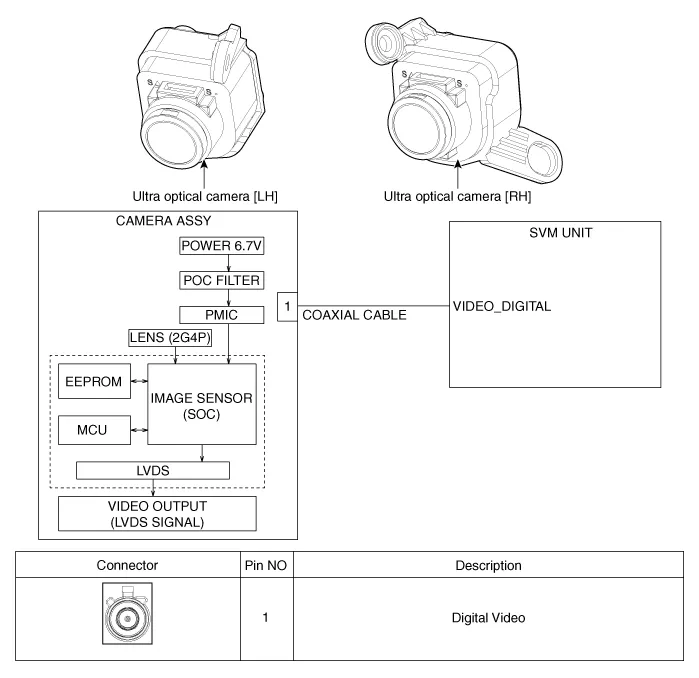
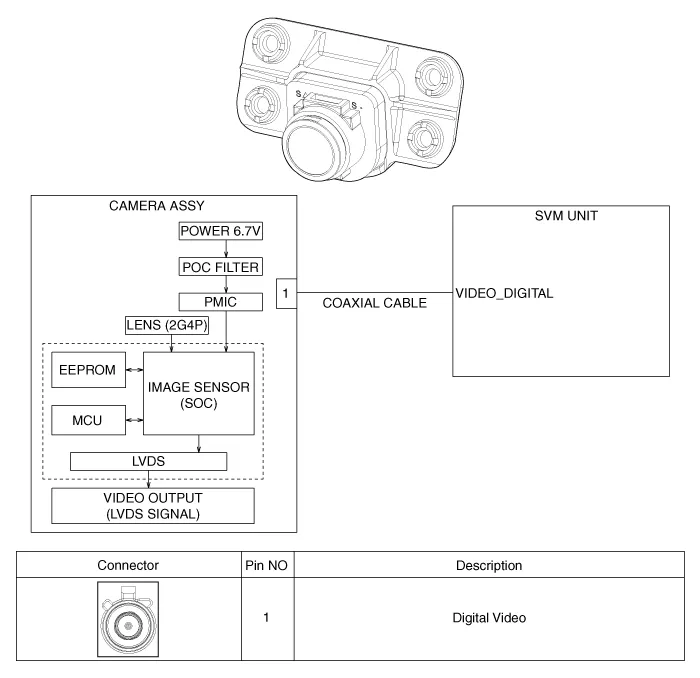
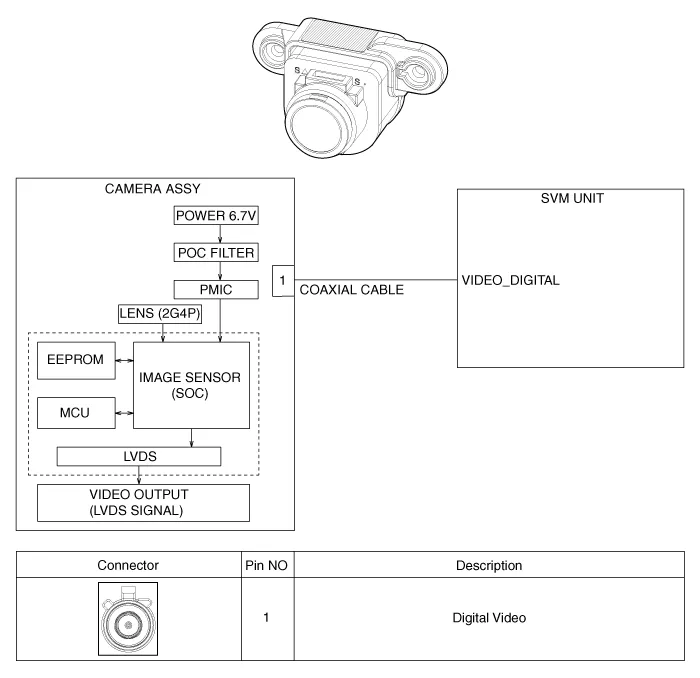

• In case of bad quality or poor focus, be sure to check the camera lense surface condition and foreign materials.
1.Disconnect the negative (-) battery terminal.
2.Remove the front bumper assembly.(Refer to Body - "Front Bumper Assembly")
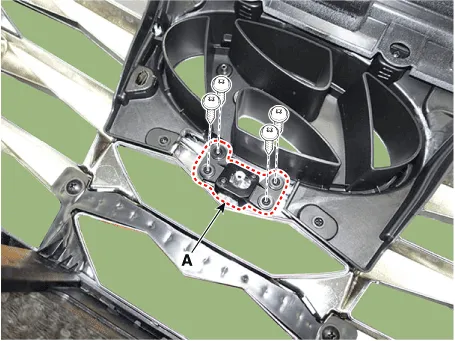
3.Disconnect the SVM front camera connector (A).
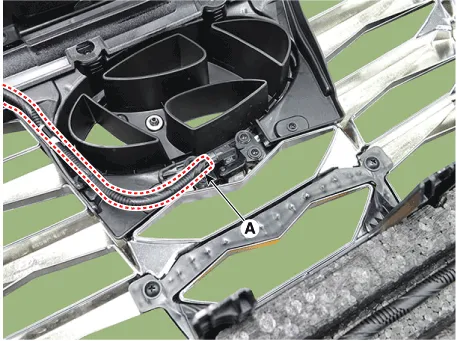
4.Loosen the mounting screws and remove the SVM front camera (A)
1.Disconnect the negative (-) battery terminal.
2.Remove the ligtgate back panel molding.(Refer to Body - "Liftgate Back Panel Molding")
3.Disconnect the rear inside combination lamp connector (A).
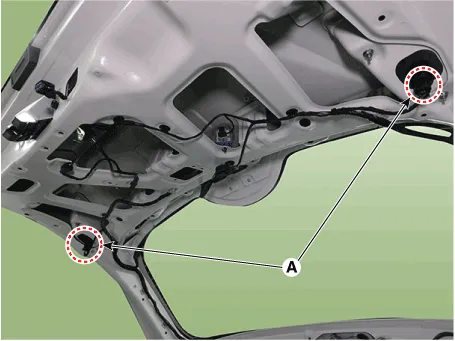
4.Disconnect the rear view camera connector (A).
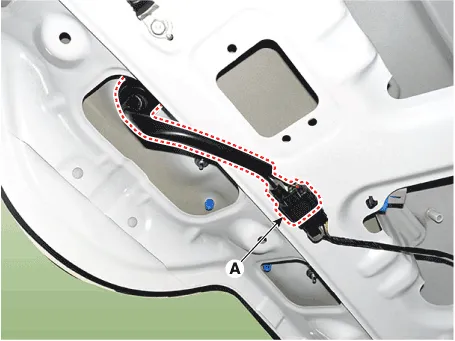
5.Loosen the mounting nuts and remove the rear inside combination lamp (A).
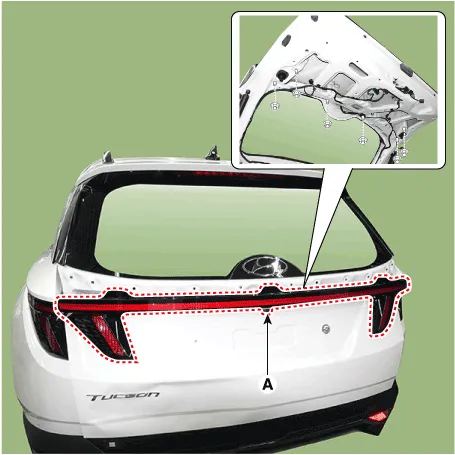
6.Loosen the mounting screws and remove the rear view camera (A).
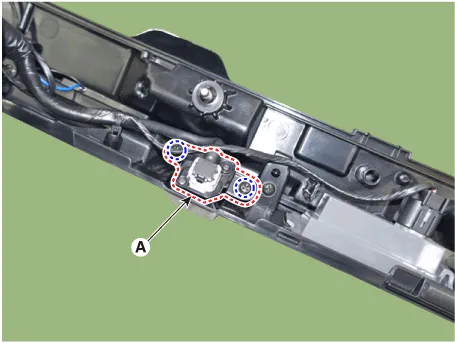
7.Disconnect the rear view camera connector (A).
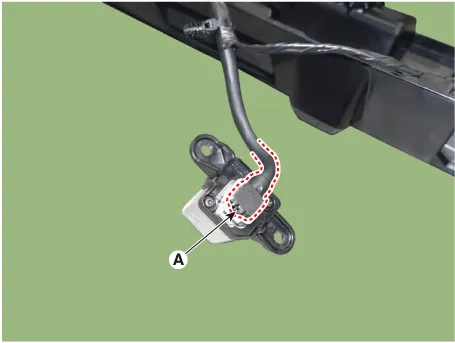
1.Disconnect the negative (-) battery terminal.
2.Remove the outside mirror cover.(Refer to Body Electrical System - "Power Door Mirror Actuator")
3.Loosen the mounting screws and remove the SVM left/right camera (A).
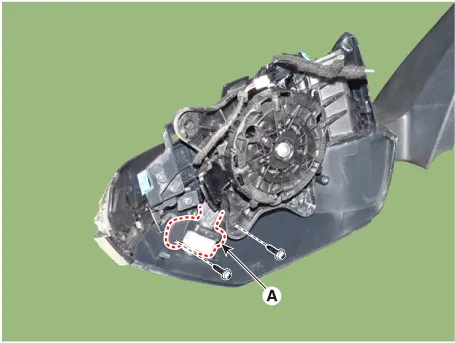
1.Install the svm front camera.
2.Install the front bumper assembly.
1.Install the svm rear camera.
2.Install the tail gate back panel molding.
1.Install the svm left/right camera.
2.Install the door mirror.
 Surround View Monitor (SVM) Unit
- Removal
1.Disconnect the negative (-) battery terminal.
2.Remove the crash pad center panel.(Refer to Body - "Crash Pad Center Panel")
3.Disconnect the SVM unit connector (A).
4.Loosen the ...
 Parking/View Switch
- Removal
• When removing with a flat-tip screwdriver or remover, wrap protective tape around the tools to prevent damage to components.
• Put on gloves to prevent hand ...
Other information:
Hyundai Tucson (NX4) 2022-2026 Service Manual: Repair procedures
- Inspection
Inspection Item
• Battery efficiency inspection
• Battery voltage inspection
• Charging voltage insptection
• General inspection
• Terminal tightening state inspection
• Engine/ transaxle ground state inspection
• Wiring harness ground state inspect ...
Hyundai Tucson (NX4) 2022-2026 Owner's Manual: Smart Cruise Control Operation
Operating conditions
Basic function
Smart Cruise Control operates when the
following conditions are met:
The gear is in D (Drive).
Your vehicle speed is within the
operating speed range.
- 5-110 mph (10-180 km/h): When
there is no vehicle in front
- 0-110 mph (0-180 km/h): When ...
