
Hyundai Tucson: Audio / Mic
1.Disconnect the negative (-) battery terminal.
2.Remove the overhead console.(Body Electrical System - "Overhead Console Lamp")
3.Check for continuity between terminal No. 1 and No. 2. If there is no continuity, replace the mic.
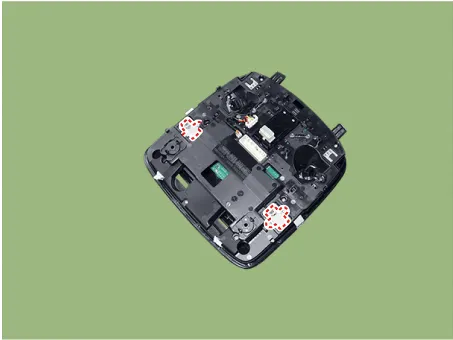
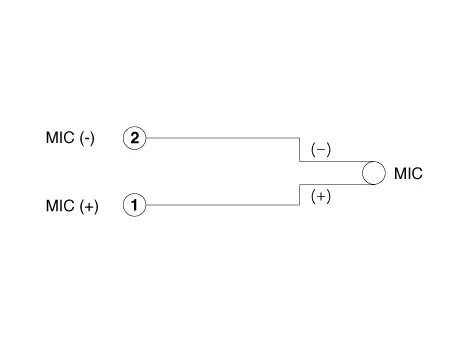
1.Disconnect the negative (-) battery terminal.
2.Remove the overhead console.(Body Electrical System - "Overhead Console Lamp")
3.Remove the mic (A), after removing the screws.
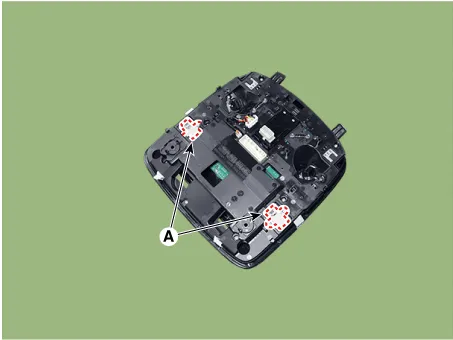
1. Install the mic.
2.Install the overhead console and connect console connectors.
3.Connect the negative (-) battery terminal.
 Front Monitor
- Components
- Removal
1.Disconnect the negative (-) battery terminal.
2.Remove the front monitor lower cover (A).
3.Remove the front monitor lower cover after disconnecting the moo ...
 Multifunction Switch
Components and Components Location
- Components
1. Steering column2. Lighting swtich3. Wiper switch4. Clock spring5. Steering wheel6. Driver airbag (DAB)
Specifications
- Specifications
...
Other information:
Hyundai Tucson (NX4) 2022-2026 Owner's Manual: Rear Cross-Traffic Collision-
Avoidance Assist Settings
Rear Cross-Traffic Safety
With the ignition switch ON, go to User
Settings > Driver Assistance > Parking
Safety > Rear Cross-Traffic Safety (for
cluster type) or Setup > Vehicle > Driver
Assistance > Parking Safety > Rear
Cross-Traffic Safety (for infotainment
sys ...
Hyundai Tucson (NX4) 2022-2026 Owner's Manual: Washer Fluid
Checking the Washer Fluid Level
Check the fluid level in the washer fluid
reservoir and add fluid if necessary.
Plain water can be used during summer
months if washer fluid is not available.
However, use washer fluid with
antifreeze in cold climates to prevent
freezing.
WARNING
To p ...
