
Hyundai Tucson: Audio / Front Monitor
1.Disconnect the negative (-) battery terminal.
2.Remove the front monitor lower cover (A).
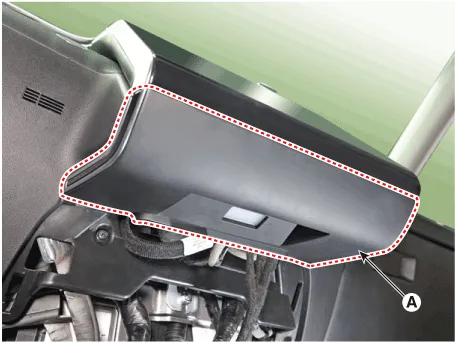
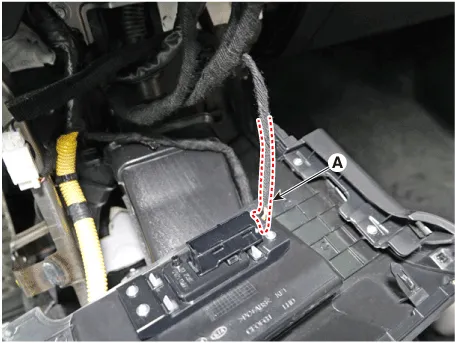
3.Remove the front monitor lower cover after disconnecting the mood lamp connector (A).
4.Remove front monitor side cover (A) and (B).
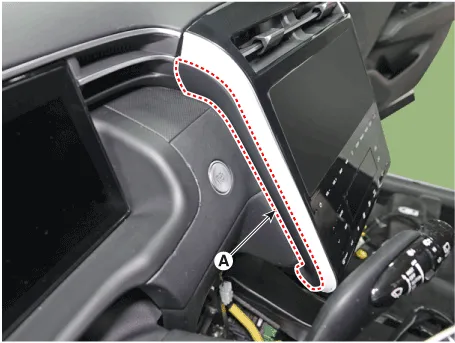
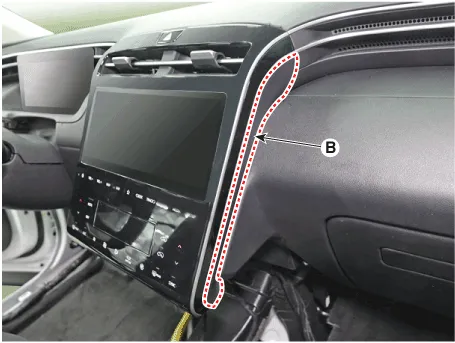
5.Remove the front monitor assembly (A).
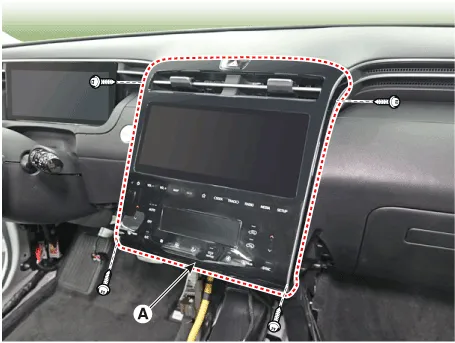
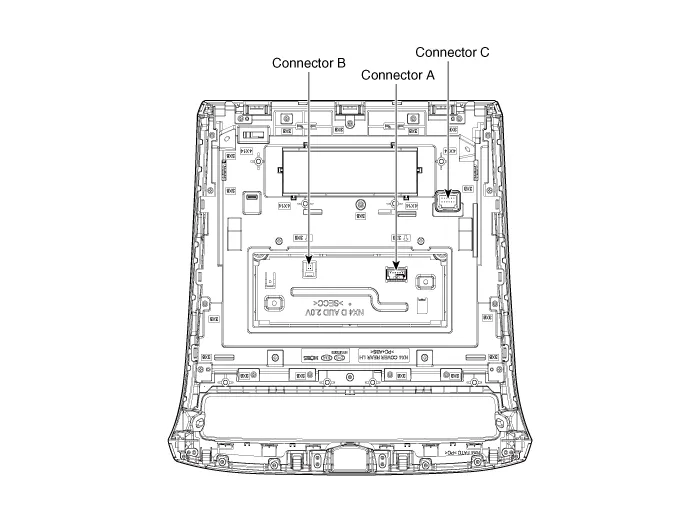
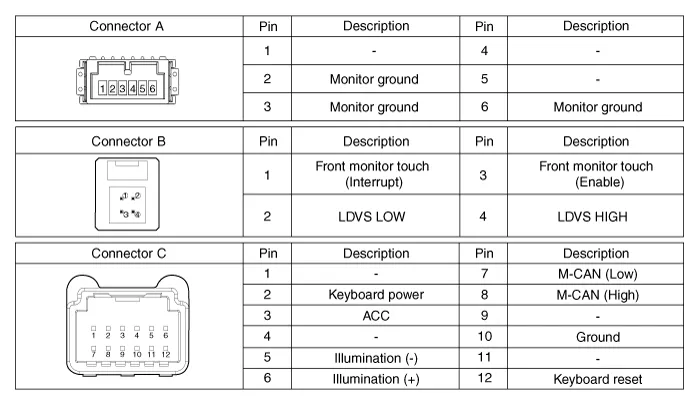
6.Remove the front monitor assembly (A) after disconnecting monitor connectors.
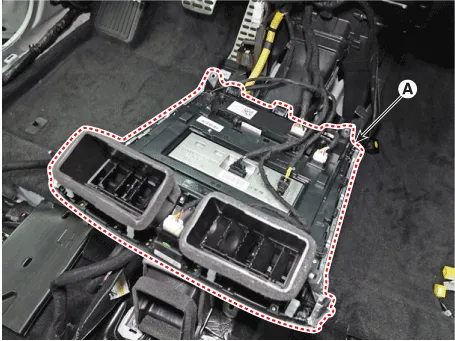
7.Remove the front monitor cover (A) after loosening mounting screws.
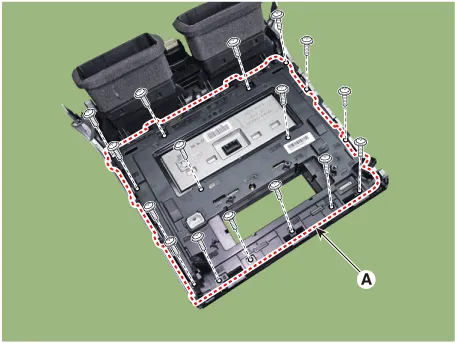
8.emove the front monitor (A) after loosening mounting screws.
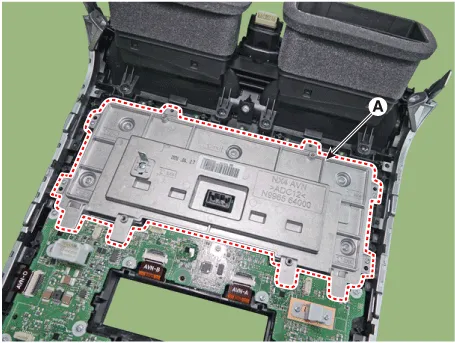
1.Install the front monitor.
2.Install the front monitor cover.
3.Install the front monitor assembly.
4.Install the front monitor side cover.
5.Install the front monitor lower cover.
6.Connect the negative (-) battery terminal.

• Make sure that the cables and connectors are plugged in properly.
• Check the audio system for normal operation.
 USB Jack
- Description
The USB jack on the console upper cover is for customers who like to
listen to external portable music players like the USB, MP3 through the
vehicle's sound system when it is link ...
 Mic
Mic
- Inspection
1.Disconnect the negative (-) battery terminal.
2.Remove the overhead console.(Body Electrical System - "Overhead Console Lamp")
3.Check for continuity between terminal No. 1 and ...
Other information:
Hyundai Tucson (NX4) 2022-2026 Service Manual: Troubleshooting
Diagnosis with Diagnostic tool
1.In the body electrical system, failure can be quickly diagnosed by
using the vehicle diagnostic system (Diagnostic tool).The diagnostic
system (Diagnostic tool) provides the following information.(1)Fault Code Searching : Checking failure and code number (DTC)
...
Hyundai Tucson (NX4) 2022-2026 Owner's Manual: Automatic Transmission
Operation
The automatic transmission has eight
forward speeds and one reverse speed.
The individual speeds are selected
automatically in the D (Drive) position.
The indicator on the instrument cluster
displays the shift lever/button position
when the ignition switch is in the ON
position.
WARNING ...
