
Hyundai Tucson: Front Door / Front Door Module
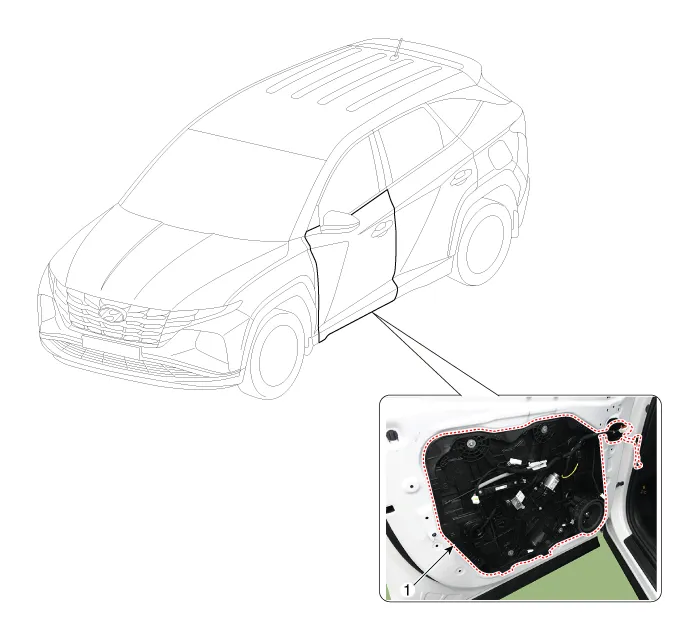
1. Front door module

• When removing with a flat-tip screwdriver or remover, wrap protective tape around the tools to prevent damage to components.
• Put on gloves to prevent hand injuries.
1.Remove the front door window glass.(Refer to Front Door - "Front Door Window Glass")
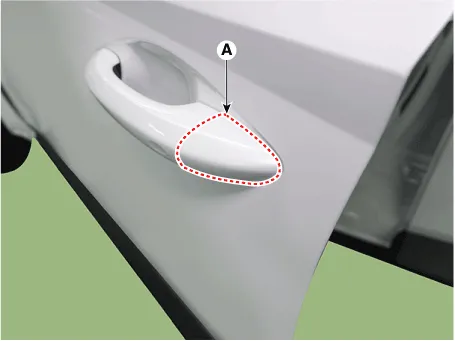
2.Remove the front door outside handle cover (A).
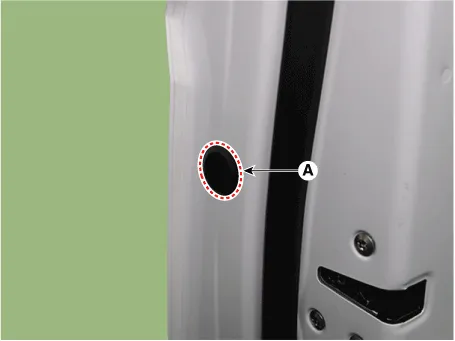
3.Remove the plug hole (A).
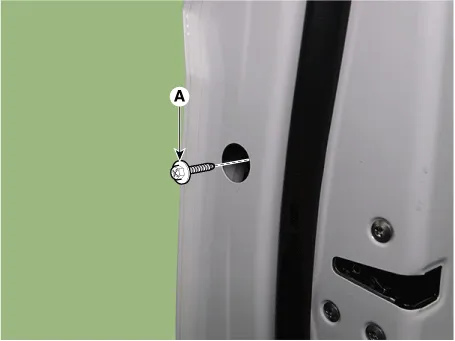
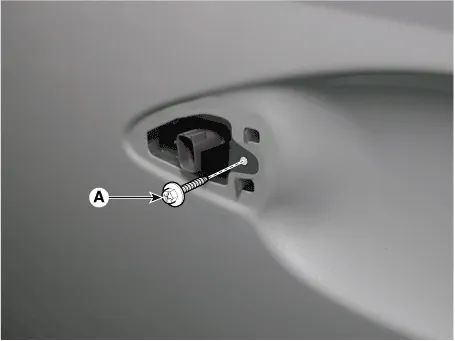
4.Loosen the front door outside handle mounting bolt (A).
5.Remove the front door lock assembly (A).
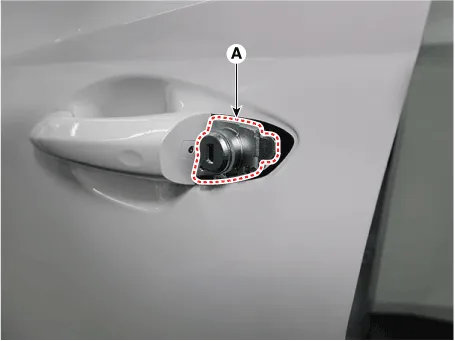
6.Remove the front door outside handle (A) by sliding it forward.
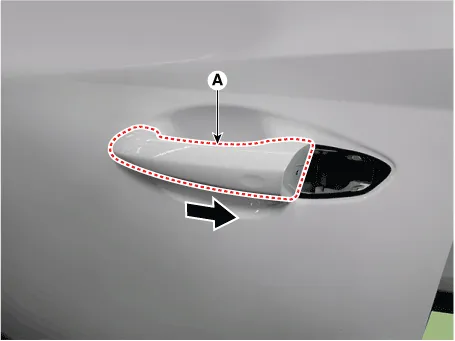
7.Disconnect the front door outside handle connector (A).
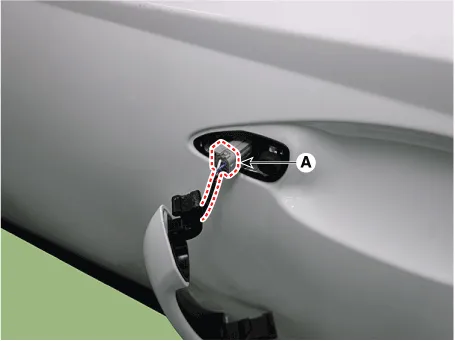
8.Remove the front door outside handle pad (A).
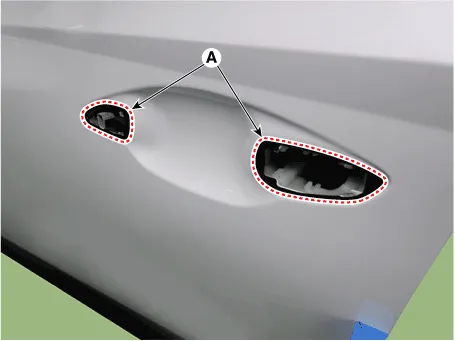
9.Loosen the front door outside handle base mounting screw (A).
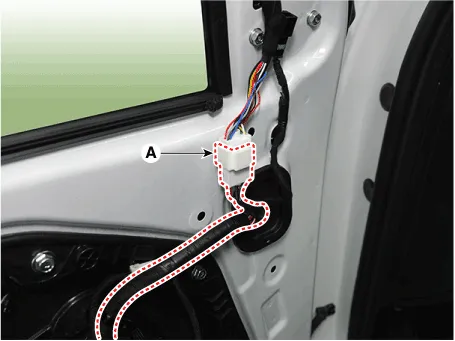
10.Disconnect the outside rear view mirror connector (A).
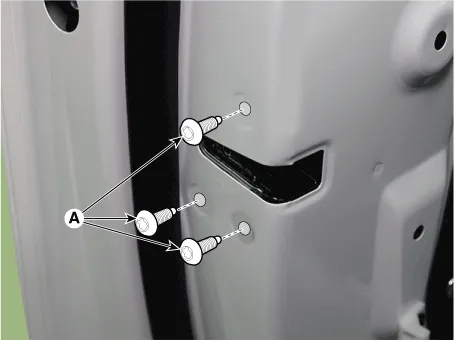
11.Loosen the front door latch screws (A).
Tightening torque : 7.8 - 14.7 N.m (0.8 - 1.5 kgf.m, 5.8 - 10.8 lb-ft)
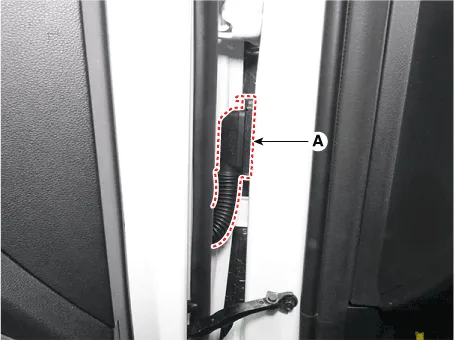
12.Disconnect the front door main connector (A).
13.Loosen the mounting bolts, remove the front door module (A).
Tightening torque : 7.8 - 11.8 N.m (0.8 - 1.2 kgf.m, 5.8 - 8.7 lb-ft)
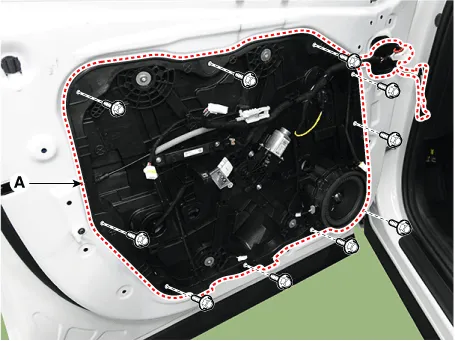
14.To install, reverse removal procedure.

• Make sure that the glass rolls up and down smoothly.
• Adjust glass position as needed.
• Make sure connectors are connected properly and each rod is connected securely.
• Make sure the door locks / unlocks and opens / closes properly.
 Front Door Window Glass
- Components Location
1. Front door window glass
- Replacement
1.Remove the front door trim.(Refer to Front Door - "Front Door Trim")
2.Remove the front door belt inside weatherstrip.(R ...
 Front Door Outside Handle
- Components Location
1. Front door outside handle
- Replacement
• When removing with a flat-tip screwdriver or remover, wrap protective tape around the tools to pr ...
Other information:
Hyundai Tucson (NX4) 2022-2026 Owner's Manual: Cup Holder
Cups or small beverages cups may be
placed in the cup holders.
WARNING
Avoid abrupt starting and braking
when the cup holder is used to
prevent spilling your drink. If hot liquid
spills, you may be burned.
Such a burn to the driver may cause
loss of vehicle control resulting ...
Hyundai Tucson (NX4) 2022-2026 Owner's Manual: Cruise Control (CC). Cruise Control Operation
1 Cruise indicator light
2 Set speed
Cruise Control allows you to drive at
speeds above 20 mph (30 km/h) without
depressing the accelerator pedal.
Cruise Control Operation
To set cruise speed
1. Accelerate to the desired speed,
which must be more than 20 mph (30
km/h).
2. Press the ...
