
Hyundai Tucson: Crash Pad / Crash Pad Garnish
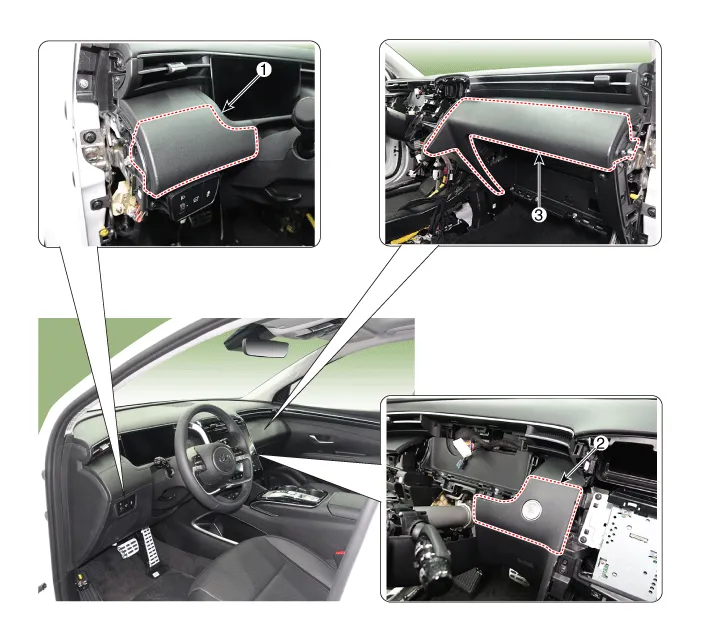
1. Crash pad garnish [LH]
2. Crash pad garnish [CTR]
3. Crash pad garnish [RH]

• When removing with a flat-tip screwdriver or remover, wrap protective tape around the tools to prevent damage to components.
• Put on gloves to prevent hand injuries.

• Take care not to bend or scratch the trim and panels.
1.Remove the crash pad lower panel.(Refer to Crash Pad - "Crash Pad Lower Panel")
2.Loosen the mounting screw, remove the crash pad garnish[LH] (A).
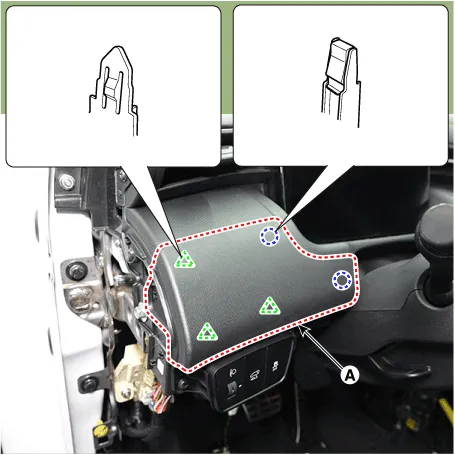
3.To install, reverse the removal procedure.

• Replace any damaged clips (or pin-type retainers).
1.Remove the cluster fascia panel.(Refer to Crash Pad - "Cluster Fascia Panel")
2.Remove the front monitor.(Refer to Body Electrical System - "Front Monitor")
3.Remove the crash pad garnish[CTR] (A).
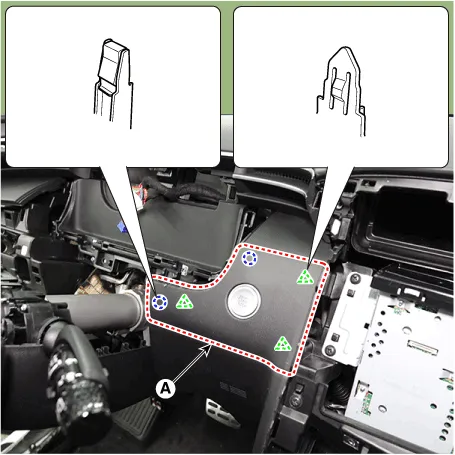
4.Disconnect the start button connector (A).
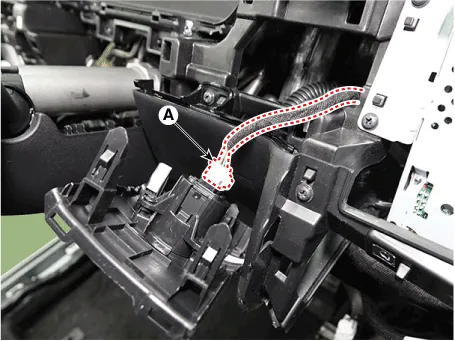
5.To install, reverse the removal procedure.

• Replace any damaged clips (or pin-type retainers).
• Make sure the connectors are plugged in properly, and the antenna lead is connected properly.
1.Disconnect the negative (-) battery terminal.
2.Remove the crash pad side cover[RH].(Refer to Crash Pad - "Crash Pad Side Cover")
3.Loosen the mounting screw, remove the crash pad garnish[RH] (A).
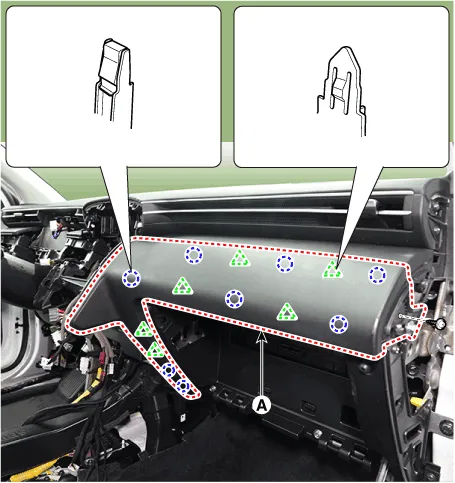
4.To install, reverse the removal procedure.

• Replace any damaged clips (or pin-type retainers).
 Cluster Fascia Panel
- Component Location
[Supervision cluster]
1. Cluster fascia panel
[General cluster]
1. Cluster fascia panel
- Replacement
• When removing with a flat-tip sc ...
 Crash Pad Lower Panel
- Component Location
1. Crash pad lower panel
- Replacement
• When removing with a flat-tip screwdriver or remover, wrap protective tape around the tools to prevent ...
Other information:
Hyundai Tucson (NX4) 2022-2026 Owner's Manual: Airbag collision sensors
WARNING
To reduce the risk of an airbag deploying
unexpectedly and causing serious injury
or death:
Do not hit or allow any objects to
impact the locations where airbags or
sensors are installed.
Do not perform maintenance on or
around the airbag sensors. If the
location or an ...
Hyundai Tucson (NX4) 2022-2026 Service Manual: Manifold Absolute Pressure Sensor (MAPS)
- Description
Manifold Absolute Pressure Sensor (MAPS) is a speed-density type sensor
and is installed on the surge tank. It senses absolute pressure of the
surge tank and transfers the analog signal proportional to the pressure
to the ECM. By using this signal, the ECM calculates the intak ...
