
Hyundai Tucson: Rear Door / Rear Door Latch
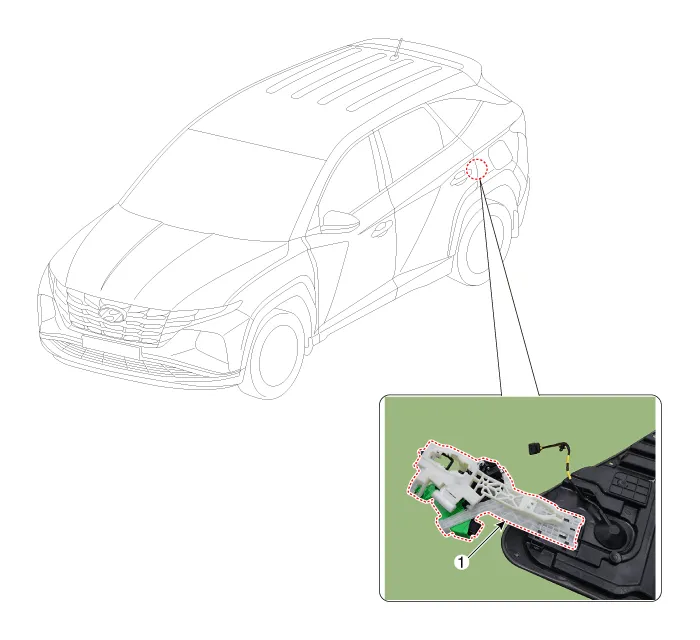
1. Rear door latch
1.Remove the rear door module.(Refer to Rear Door - "Rear Door Module")
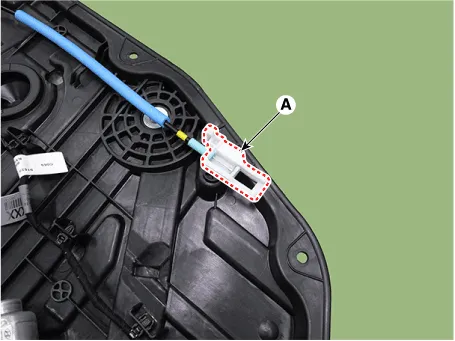
2.Remove the rear door inside handle cage (A).
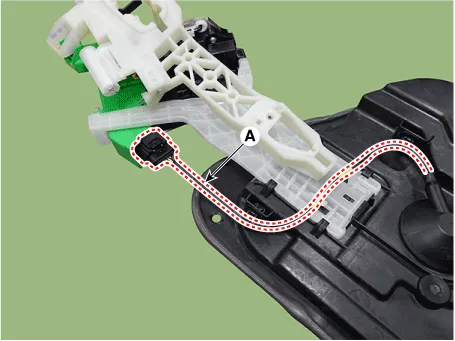
3.Separate the rear door outside handle base connector and wiring harness (A).
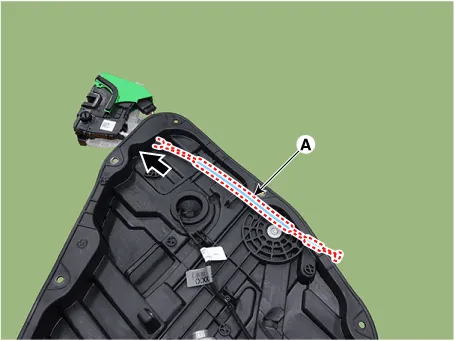
4.Remove the rear door inside handle cable (A) by pushing it in the direction of the arrow.
5.Remove the rear door latch (A).
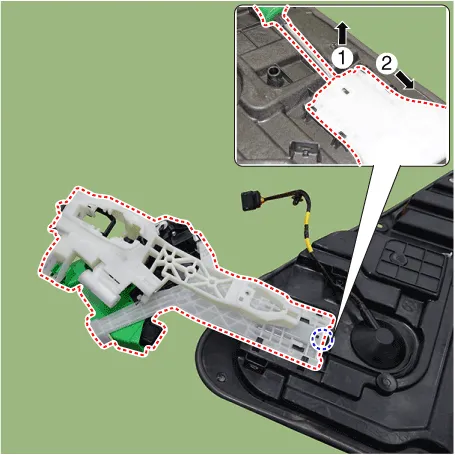
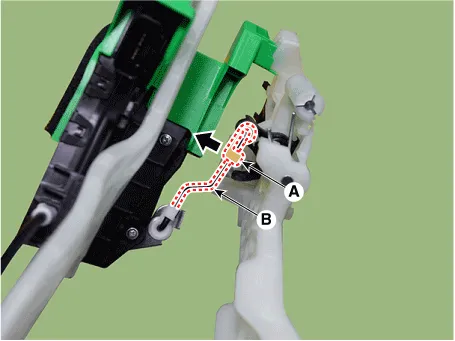
6.Disconnect the lock pin (A) in the direction of the arrow and then separate the connecting rod (B).
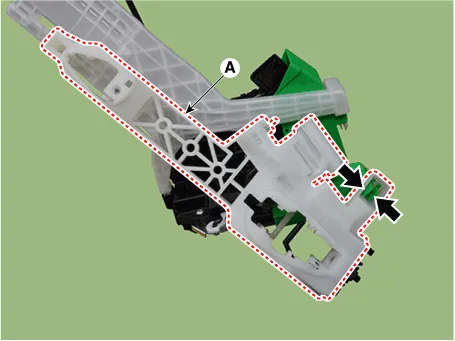
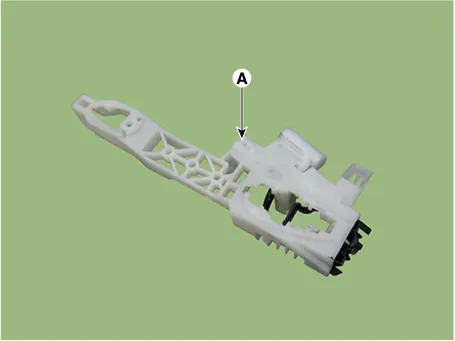
7.Press the lock pin, remove the rear door outside handle base braket (A) from the rear door latch (B).
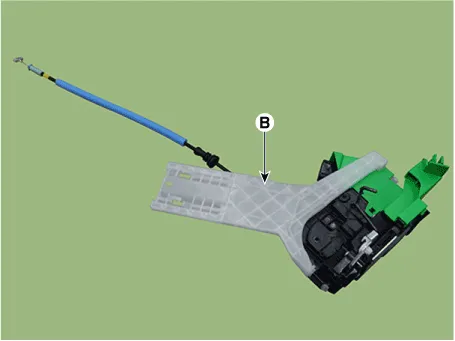
8.To install, reverse removal procedure.

• Make sure the connector is connected properly.
• Make sure the door locks / unlocks and opens / closes properly.
• Replace any damaged clips (or pin-type retainers).
 Rear Door Side Weatherstrip
- Replacement
[Rear door side weatherstrip]
1.Loosen the rear door checker (B) mounting bolt.Tightening torque :16.7 - 21.6 N.m (1.7 - 2.2 kgf.m, 12.3 - 15.9 lb-ft)
2.Detach the clips, then remo ...

Other information:
Hyundai Tucson (NX4) 2022-2026 Owner's Manual: Smart Cruise Control conditions not
met
If the Driving Assist button, the +/-
switch, or the
button is pushed
when Smart Cruise Control’s operating
conditions are not met, the "Smart Cruise
Control conditions not met" message
appears on the instrument cluster, and
an audible warning sounds.
In traffic situation
In tr ...
Hyundai Tucson (NX4) 2022-2026 Owner's Manual: Reverse Parking Collision-
Avoidance Assist Operation
If Rear Active Assist or Rear Warning
Only is selected from the settings menu,
Reverse Parking Collision-Avoidance
Assist is in ready status when all of the
following conditions are met:
The liftgate is closed.
The EPB (Electronic Parking Brake) is
released.
The gear is shifted to ...
