
Hyundai Tucson: Rear Bumper / Rear Bumper Assembly
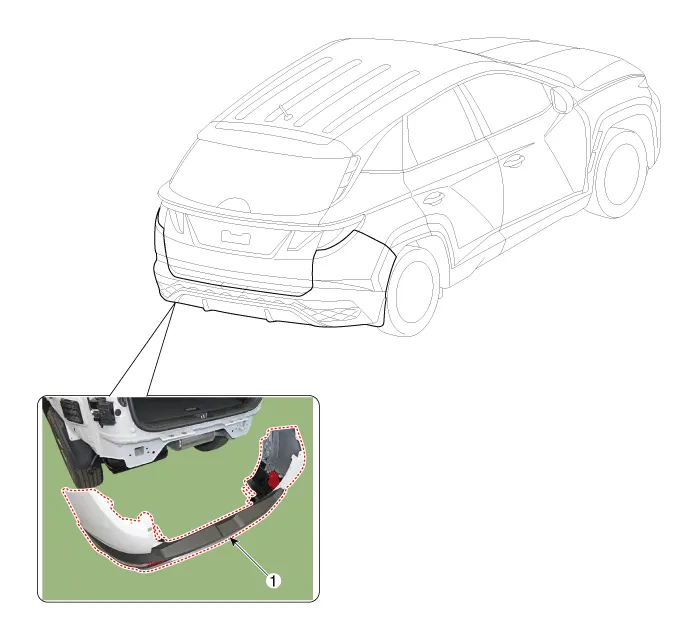
1. Rear bumper assembly

• When removing with a flat-tip screwdriver or remover, wrap protective tape around the tools to prevent damage to components.
• Put on gloves to prevent hand injuries.

• Take care not to bend or scratch the bumper cover and panels.
1.Disconnect the negative (-) battery terminal.
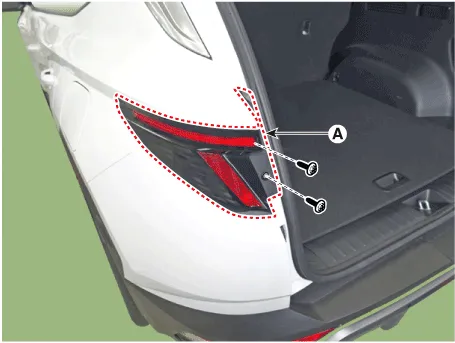
2.Loosen the mounting screws and then remove the rear combination lamp (A).
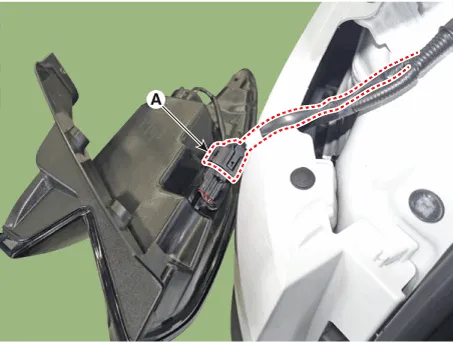
3.Disconnect the rear combination lamp connector (A).
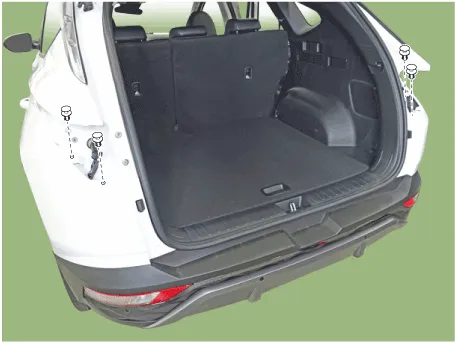
4.Loosen the rear bumper upper mounting clips.
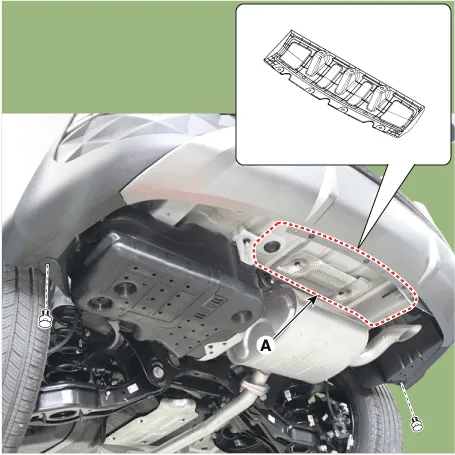
5.Loosen the mounting clips, remove the rear bumper under cover (A) and lower mounting clips.
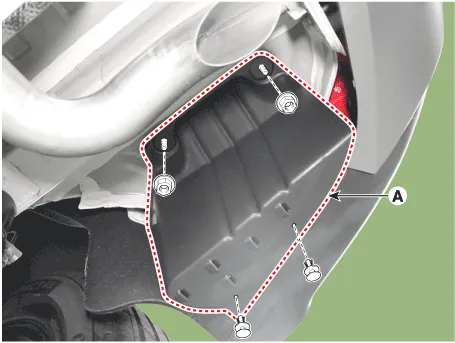
6.Loosen the mounting clips, remove the rear bumper side under cover (A).
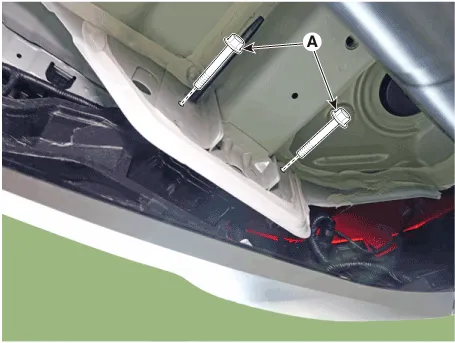
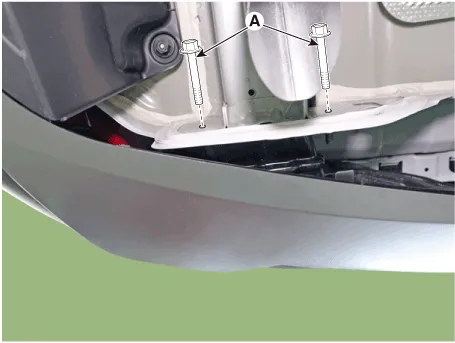
7.Loosen the rear bumper assembly mounting bolts (A).
Tightening torque :20.9 - 29.9 N.m (2.1 - 3.1 kgf.m, 15.4 - 22.1 lb-ft)
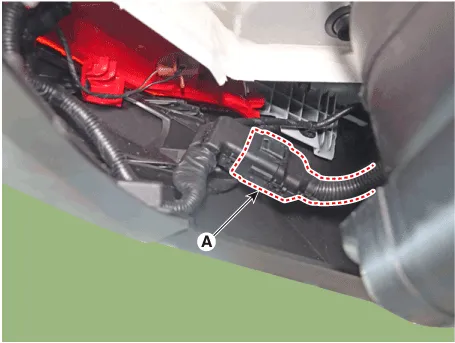
8.Disconnect the rear bumper main connector (A).
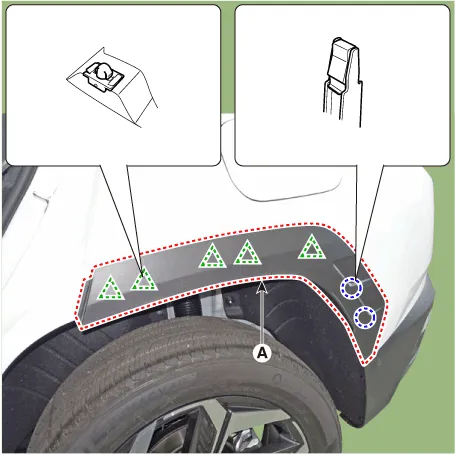
9.Remove the quater garnish (A).
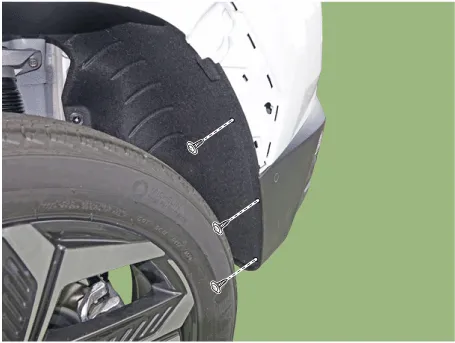
10.Loosen the mounting screws and retainer on the side of rear bumper (A), detach the side part of rear bumper.

• Be careful not to damage the tabs on the side part of rear bumper.
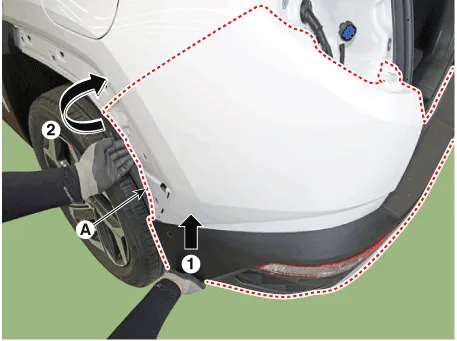
11.Remove the rear bumper assembly (A).
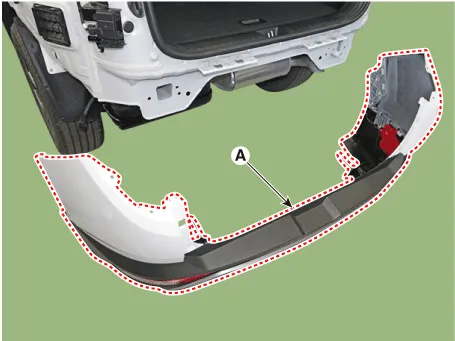
12.To install, reverse removal procedure.

• Make sure the connector is plugged in properly.
• Replace any damaged clips (or pin-type retainers).
 Components and Components Location
- Components
1. Rear bumper assembly2. Rear bumper under cover [CTR]3. Rear bumper side under cover [RH]4. Rear bumper side bracket [RH]5. Rear bumper side bracket [LH]
...
 Rear Bumper beam Assembly
- Component Location
1. Rear bumper beam assembly
- Replacement
• When removing with a flat-tip screwdriver or remover, wrap protective tape around the tools to pre ...
Other information:
Hyundai Tucson (NX4) 2022-2025 Owner's Manual: Cargo Net Holder
To keep items from shifting in the cargo
area, use the 4 holders located in the
cargo area side trim to attach the cargo
net.
Make sure the cargo net is securely
attached to the holders in the cargo
board.
WARNING
Avoid eye injury. Do not overstretch the
cargo net. Always keep your ...
Hyundai Tucson (NX4) 2022-2025 Owner's Manual: Infotainment System. Voice Recognition. Bluetooth® Wireless Technology
Infotainment System
(if equipped)
For more information, refer to the
infotainment system manual.
Voice Recognition
For more information, refer to the
infotainment system manual.
Bluetooth® Wireless Technology
1 Call/Answer button
2 Call end button
3 Microphone
For more informa ...
