
Hyundai Tucson: Front Seat / Front Seat Back Cover
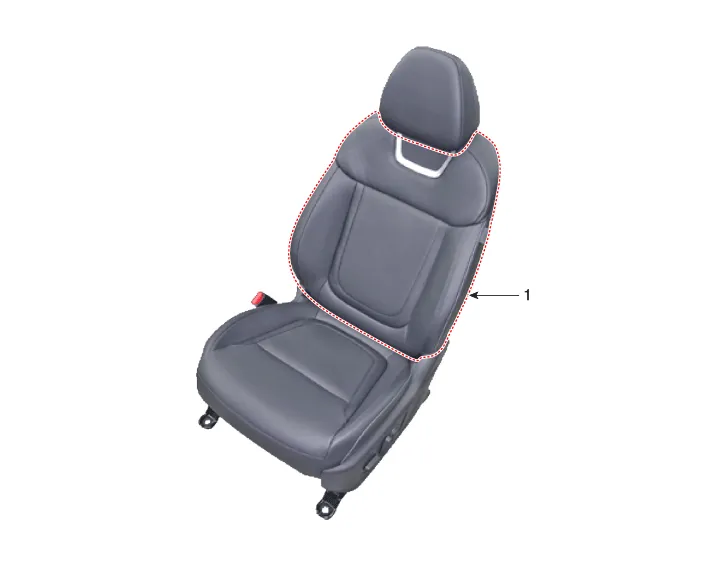
1. Front seat back cover

• When removing with a flat-tip screwdriver or remover, wrap protective tape around the tools to prevent damage to components.
• Put on gloves to prevent hand injuries.

• Take care not to bend or scratch the front seat.
1.Remove the front seat shield outer cover.(Refer to Front Seat - "Front Seat Outer Shield Cover")
2.Remove the front seat shield inner cover.(Refer to Front Seat - "Front Seat Inner Shield Cover")
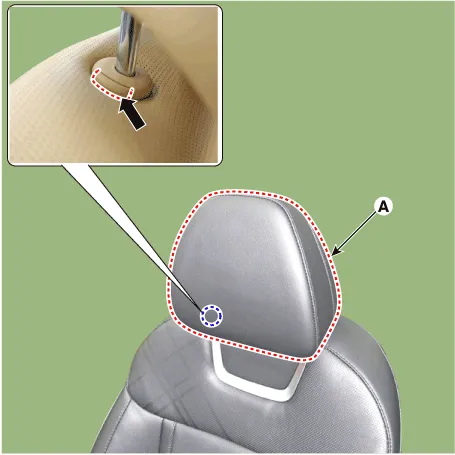
3.Press the lock pin, remove the front seat headrest (A).
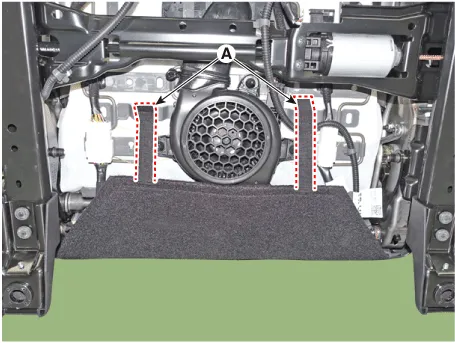
4.Remove the front seat lower protector (A).
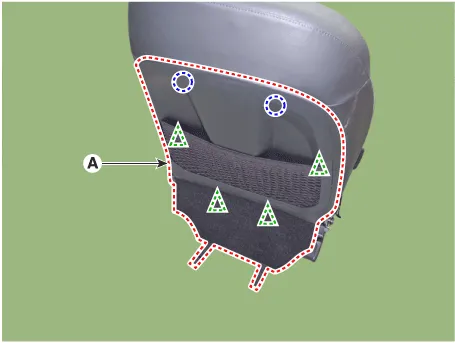
5.Remove the front seat back board (A).

• Grasp the both lower sides of back board with hands and then remove it in the direction of the arrow.
• Be careful not to damage the fixing clips.
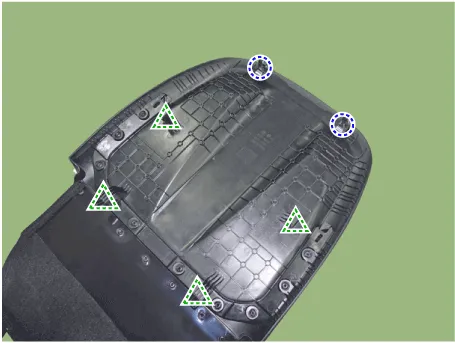
6.Remove the front seat back duct (A).
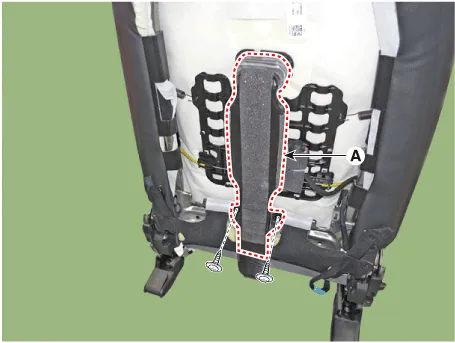
7.Press the hook (B), remove the headrest guides (A) and cover (C).
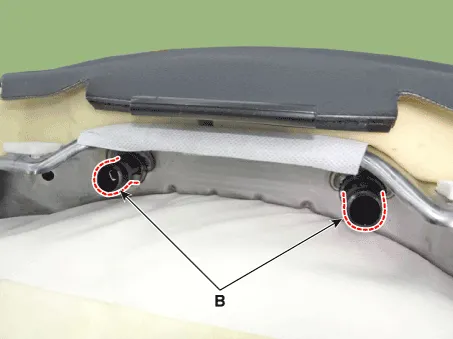
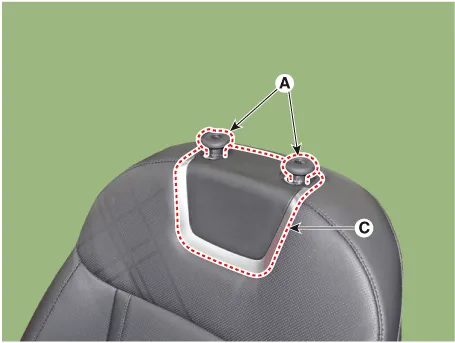
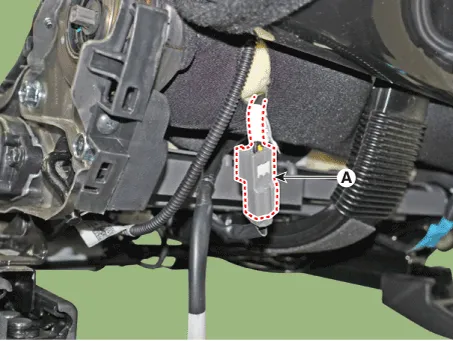
8.Disconnect the connector (A).
9.Remove the protector (A) from the front seat back frame.
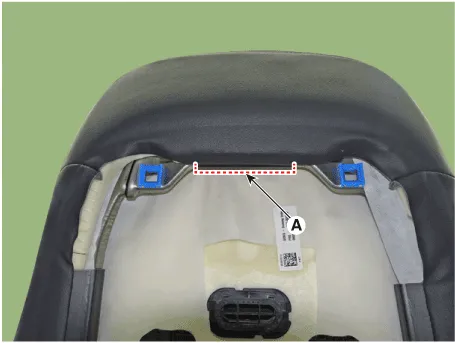
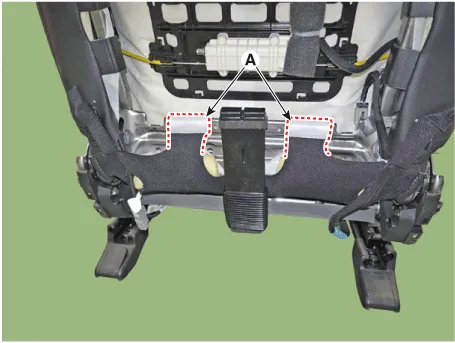
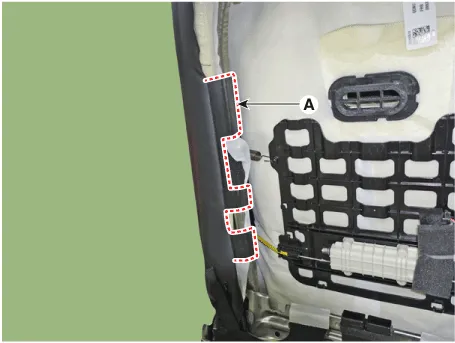
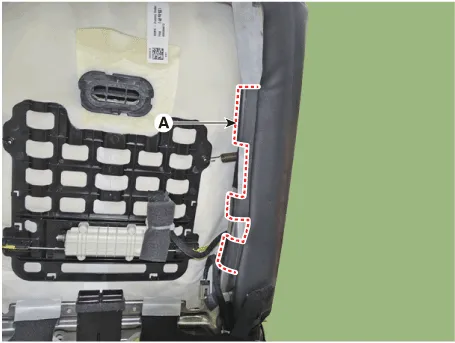

• In the case of a passenger seat, remove the walk in switch (A) and remove the seat back cover.
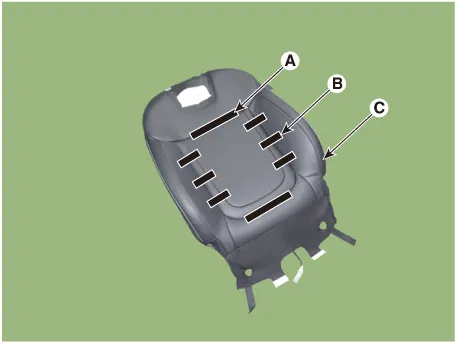
10.After removing the Velcro tape (A) and tie-down clips (B) inside the front seat back cover, remove the seat back cover (C).
11.To install, reverse removal procedure.

• Make sure that the connectors are connected completely
• Replace any damaged clips (or pin-type retainers).
 Front Seat Shield Inner Cover
- Component Location
1. Front seat shield inner cover
- Replacement
• When removing with a flat-tip screwdriver or remover, wrap protective tape around the tools to ...
 Front Seat Cushion Cover
- Component Location
1. Front seat cushion cover
- Replacement
• When removing with a flat-tip screwdriver or remover, wrap protective tape around the tools to prev ...
Other information:
Hyundai Tucson (NX4) 2022-2026 Service Manual: Specifications
- Specification
Air Conditioner
ItemSpecification
CompressorTypeDVE16C
Oil type & CapacityPAG30 120 ± 10g (3.85 ± 0.3oz.)
Pulley type6PK-TYPE
Displacement60cc/rev
Expansion valveTypeBlock type
RefrigerantTypeR-134aR-1234yf
Capacity550 ± 25g (17.68 ± 0.88oz)550 ± 25g (17.68 ± 0.8 ...
Hyundai Tucson (NX4) 2022-2026 Service Manual: Description and Operation
- Description
MDPS (Motor Dirven Power Steering) system uses an electric motor to
assist the steering force and it is an engine operation independent
steering system.MDPS control module controls the motor operation
according to information received from the each sensor and CAN
(Controlle ...
