
Hyundai Tucson: Body Electrical System / Auto Lighting Control System
Description and Operation
1.Do not add another device on top of this device.
2.Be sure to switch to manual during poor visibility climate, such as fog, heavy rain, or cloudy weather.
3.Illumination intensity in an actual vehicle is not always constant, and lamp ON/OFF time may very depending on the climate, season, and surrounding environment.
4.Use this system only during sunrise and sunset period, and manually control lamp ON/OFF for general conditions.
5.Error may occur if light block coating that may change interior illumination is applied.
Components and Components Location
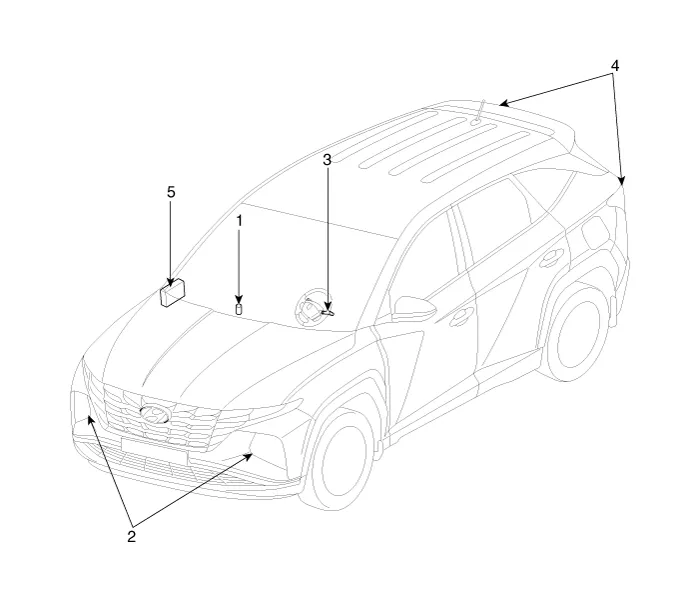
1. Auto light sensor
2. Head lamps
3. Lighting switch (Auto)
4. Tail lamps
5. IBU (Integrated Body Control Unit)
Specifications
| Items | Specifications | |
| Rated voltage | 5V | |
| Load | Max. 1mA (When head lamp lighting) | |
| Illuminations (LUX) | 100 | 1.41 ± 0.31V |
| 200 | 2.60 ± 0.57V | |
Schematic Diagrams
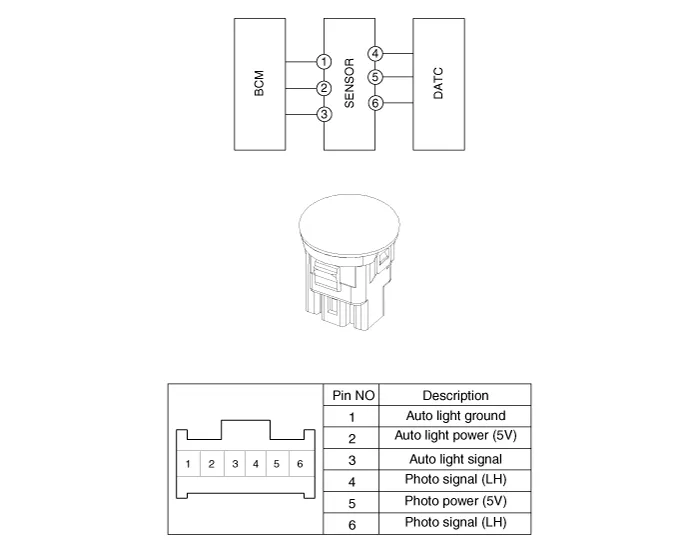
Auto Light Sensor

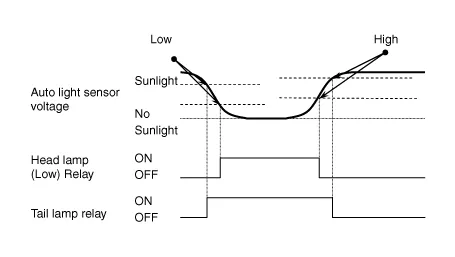
• Failure Occurrence : If auto light failure occurs, the head lamp must be turned ON regardless of sun light level. This is to prevent the head lamp from being turned OFF in case of auto light failure during night time.

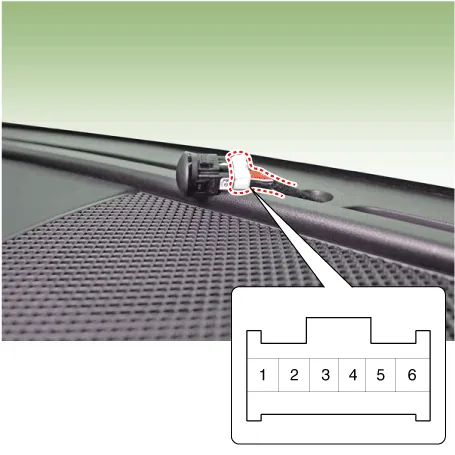
1.Disconnect the negative (-) battery terminal.
2.Remove the crash pad upper garnish (A).
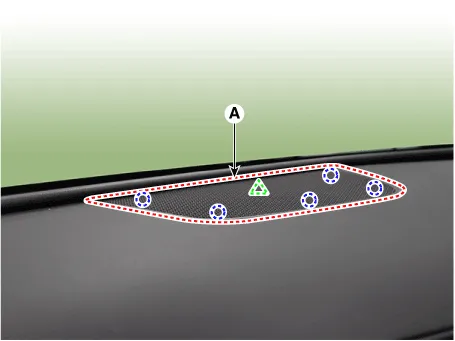
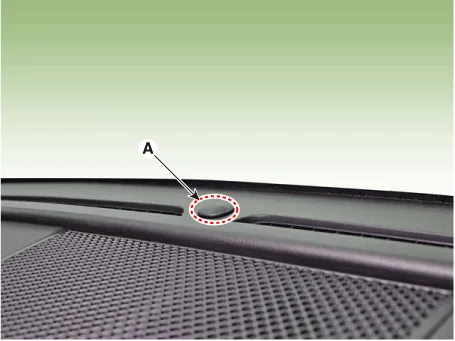
3.After removing the crash pad upper garnish, insert hand and push up the photo sensor (A) from the inside to remove it.
4.Disconnect the auto light sensor connector (A).
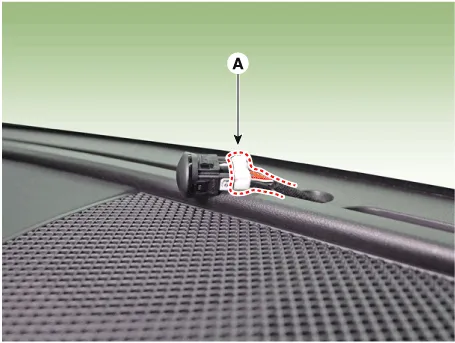
1.Connect the auto light sensor connector and install the auto light sensor.
 Antenna Coil
- Removal
1.Disconnect the negative (-) battery terminal.
2.Remove the crash pad lower panel.(Refer to Body - "Crash Pad Lower Panel")
3.Disconnect the 6P connector (B) of the coil antenna and ...
Other information:
Hyundai Tucson (NX4) 2022-2026 Service Manual: Description and Operation
- Description
Burglar Alarm State [B/A State]
B/A StateDescription
DISARM1)
In "DISARM" state, no vehicle start inhibition. So, when door, hood, or
Liftgate is opened, there is no alarm sound and flashing.
2) If the battery is disconnected while the state is not "ARM/ARMWAIT/ALARM/REARM" ...
Hyundai Tucson (NX4) 2022-2026 Owner's Manual: Airbag inflation conditions
Front airbags
Airbag inflation conditions
Front airbags are designed to inflate
in a frontal collision depending on the
severity of impact.
Side and curtain airbags
Side and curtain airbags are designed
to inflate when an impact is detected by
side collision sensors depending on th ...
