Hyundai Tucson Owners & Service Manuals

Hyundai Tucson: Advanced Driver Assistance System (ADAS) / Rear View Monitor (RVM)

Description and Operation

- Description Back view camera will activate when the backup light is ON with the ignition switch ON and the shift lever in the R position.This system is a supplemental system that shows behind the vehicle through the H/UNIT or the ECM (Reverse Display Room Mirror) mirror while backing-up.


This system is a supplementary function only. It is the responsibility of the driver or always check the inside/ outside rearview mirror and the area behind the vehicle before and while backing up because there is a dead zone that can't see through the camera.

Components and Components Location

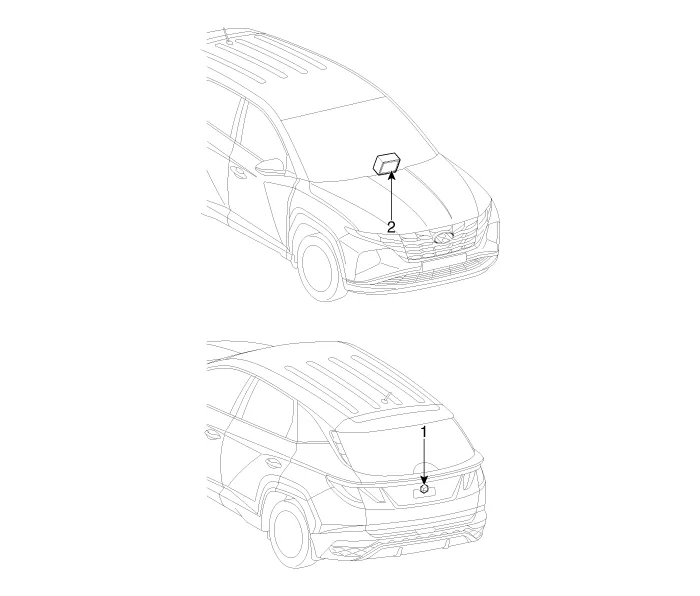
- Component Location

1. Rear view camera
2. H/UNIT


Schematic Diagrams
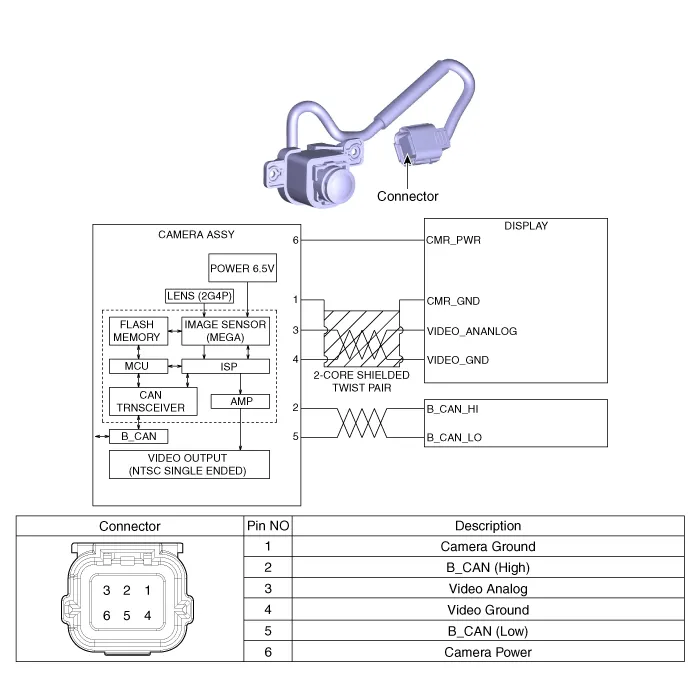
- Circuit Diagram

Repair procedures

- Removal

1.Disconnect the negative (-) battery terminal.

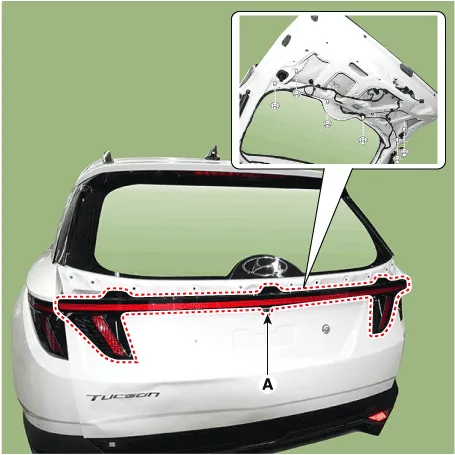
2.Remove the ligtgate back panel molding.(Refer to Body - "Liftgate Back Panel Molding")

3.Disconnect the rear inside combination lamp connector (A).
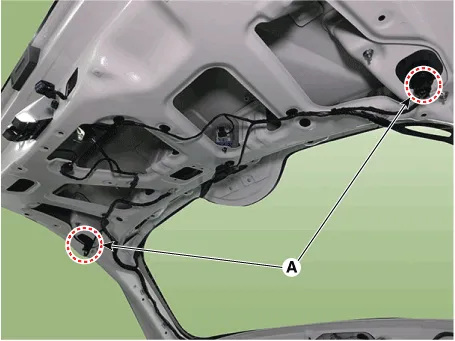
4.Disconnect the rear view camera connector (A).
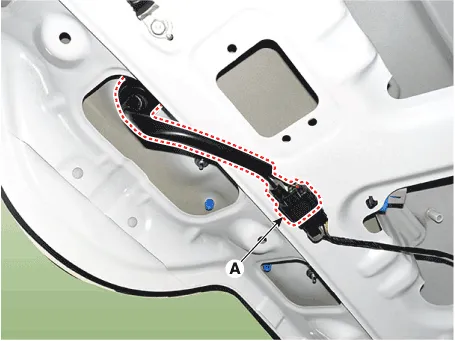
5.Loosen the mounting nuts and remove the rear inside combination lamp (A).
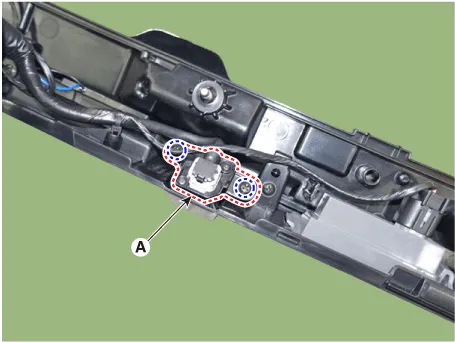
6.Loosen the mounting screws and remove the rear view camera (A).
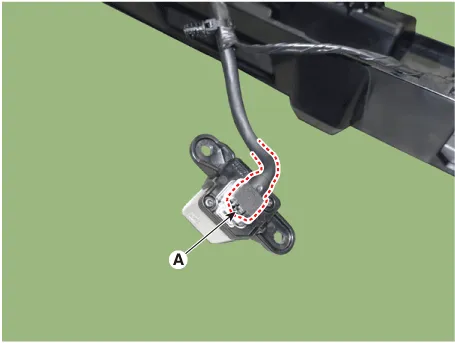
7.Disconnect the rear view camera connector (A).
- Installation

1.Install the rear view camera.

2.Install the tail gate back panel molding.

    Cruise Control (CC) Switch
    - Components 1. Remote control switch (Audio swtich)2. Remote control switch (Cruise control switch) - Circuit Diagram Trip+SCC+MSLA+LFA - Inspection 1.Check for resistance betwe ...

    Other information:

    Hyundai Tucson (NX4) 2022-2026 Owner's Manual: Blind-Spot Collision Warning Malfunction and Limitations
    Blind-Spot Collision Warning malfunction When the Blind-Spot Collision Warning is not working properly, the "Check Blind- Spot Safety system" warning message may appear, and the warning light may illuminate on the instrument cluster. Have the vehicle inspected by an authorized HYU ...

    Hyundai Tucson (NX4) 2022-2026 Owner's Manual: Driver Attention Warning Settings
    With the ignition switch ON, go to User Settings > Driver assistance > Driver Assistance > Driver Attention Warning (for cluster type) or Setup > Vehicle > Driver Assistance > Driver Attention Warning (for infotainment system type) from the Settings menu to set the fo ...

    В© 2023-2026 Copyright www.htucson4.com