
Hyundai Tucson: Controller / Heater Control Unit
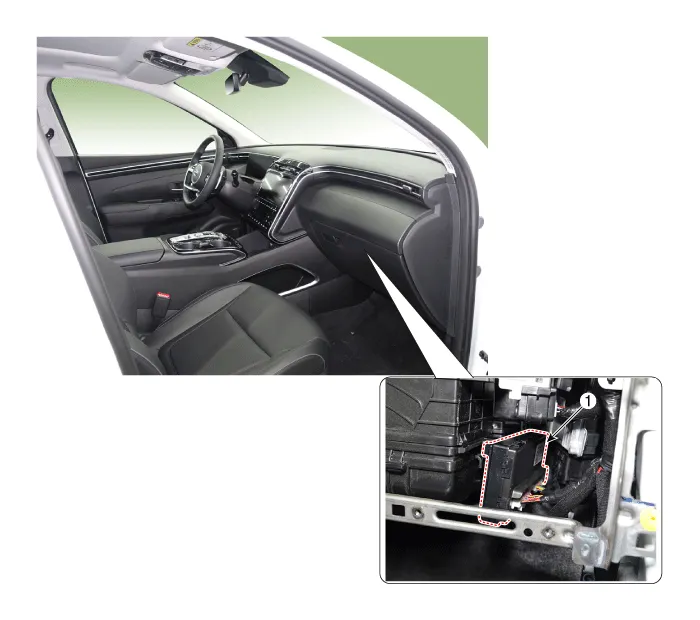
1. Heater control unit
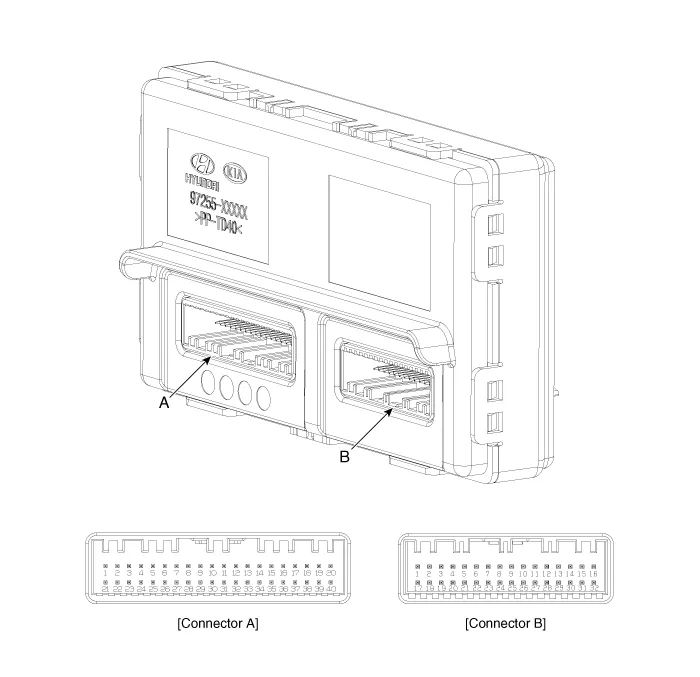
| Pin No | Connector A | Connector B |
| 1 | Driver's mode control actuator feedback | Sensor ground |
| 2 | Intake actuator feedback | ECV (-) |
| 3 | Passenger's temperature control actuator feedback | ECV (+) |
| 4 | Driver's temperature control actuator feedback | - |
| 5 | Auto defogging actuator feedback | - |
| 6 | - | FET DRAIN feedback |
| 7 | - | Blower motor (+) |
| 8 | Photo sensor (-) LEFT | Blower INH |
| 9 | Photo sensor (-) RIGHT | Blower IS |
| 10 | - | Blower PWM IN |
| 11 | DEFOG DATA | - |
| 12 | DEFOG SCK | - |
| 13 | DEFOT TEMP | Sensor (+ 5V) |
| 14 | Ambient temperature sensor (+) | FET (GATE) |
| 15 | Evaporator sensor (+) | - |
| 16 | - | Battery (+) |
| 17 | - | Ground |
| 18 | - | - |
| 19 | - | - |
| 20 | - | - |
| 21 | Driver's mode control actuator (Vent) | - |
| 22 | Driver's mode control actuator (DEF) | - |
| 23 | Intake actuator (FRE) | - |
| 24 | Intake actuator (REC) | - |
| 25 | Passenger's temperature control actuator (Cool) | IBU ACTIVE (Low) |
| 26 | Passenger's temperature control actuator (Warm) | - |
| 27 | Driver's temperature control actuator (Cool) | - |
| 28 | Driver's temperature control actuator (Warm) | - |
| 29 | Auto defogging actuator (Open) | Blower relay |
| 30 | Auto defogging actuator (Close) | LIN |
| 31 | - | IGN1 |
| 32 | - | IGN2 |
| 33 | PTC relay1 or 2 | |
| 34 | CAN FD (Low) | |
| 35 | CAN FD (High) | |
| 36 | - | |
| 37 | LOCAL CAN (High) | |
| 38 | LOCAL CAN (Low) | |
| 39 | PTC ON signal | |
| 40 | Ground |
1.Disconnect the battery (-) terminal.
2.Remove the glove box.(Refer to Body (Interior and Exterior) - "Glove Box")
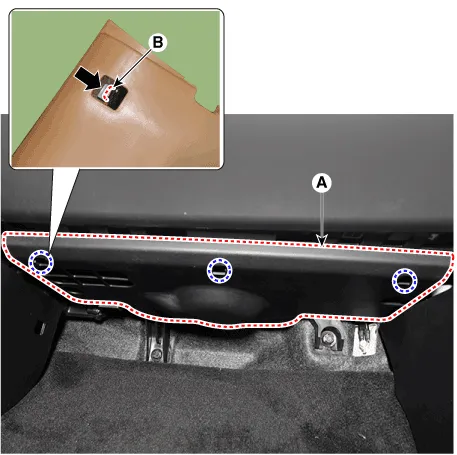
3.Press the lock pin (B) and then remove the crash pad under cover (A).
4.Disconnect the blower motor connector (A).
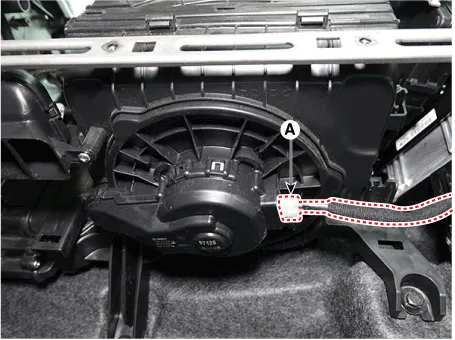
5.Remove the heater control unit (A), after removing the screws.
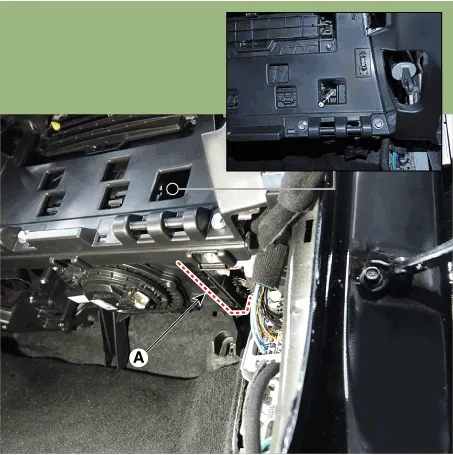
6.Disconnect the heater control unit connector.
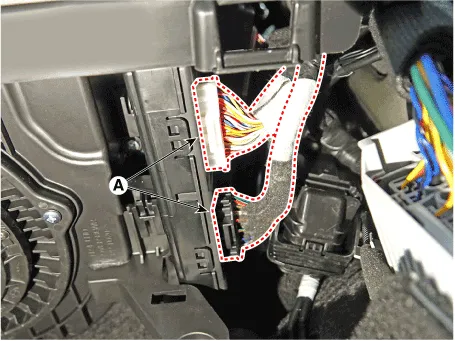
7.Install in the reverse order of removal.

• Make sure the connector is connected properly.
 Heater & A/C Control Unit (DATC)
- Components
Connector Pin Function
Pin NoConnector A
1Battery (+)
2IGN2
3IGN1
4Local CAN (High)
5Local CAN (Low)
6In-car sensor (+)
7-
8Sensor ground
9ISG B+
10ILL+ (TAIL)
11-
12- ...

Other information:
Hyundai Tucson (NX4) 2022-2026 Service Manual: Blower Resistor (Manual)
- Inspection
1.Measure the resistance between the terminals.
2.The measured resistance is not within specification, the blower resistor must be replaced. (After removing the resistor)
- Replacement
1.Disconnect the negative (-) battery terminal.
2.Remove the glove box.(Refer to Body (In ...
Hyundai Tucson (NX4) 2022-2026 Owner's Manual: Lane Following Assist
Malfunction and Limitations
Lane Following Assist malfunction
When Lane Following Assist is not
working properly, the "Check Lane
Following Assist (LFA) system" message
may appear, and the
warning light
may illuminate on the instrument
cluster. Have the vehicle inspected by an
authorized HYUNDAI dealer.
Limit ...
